



Overview
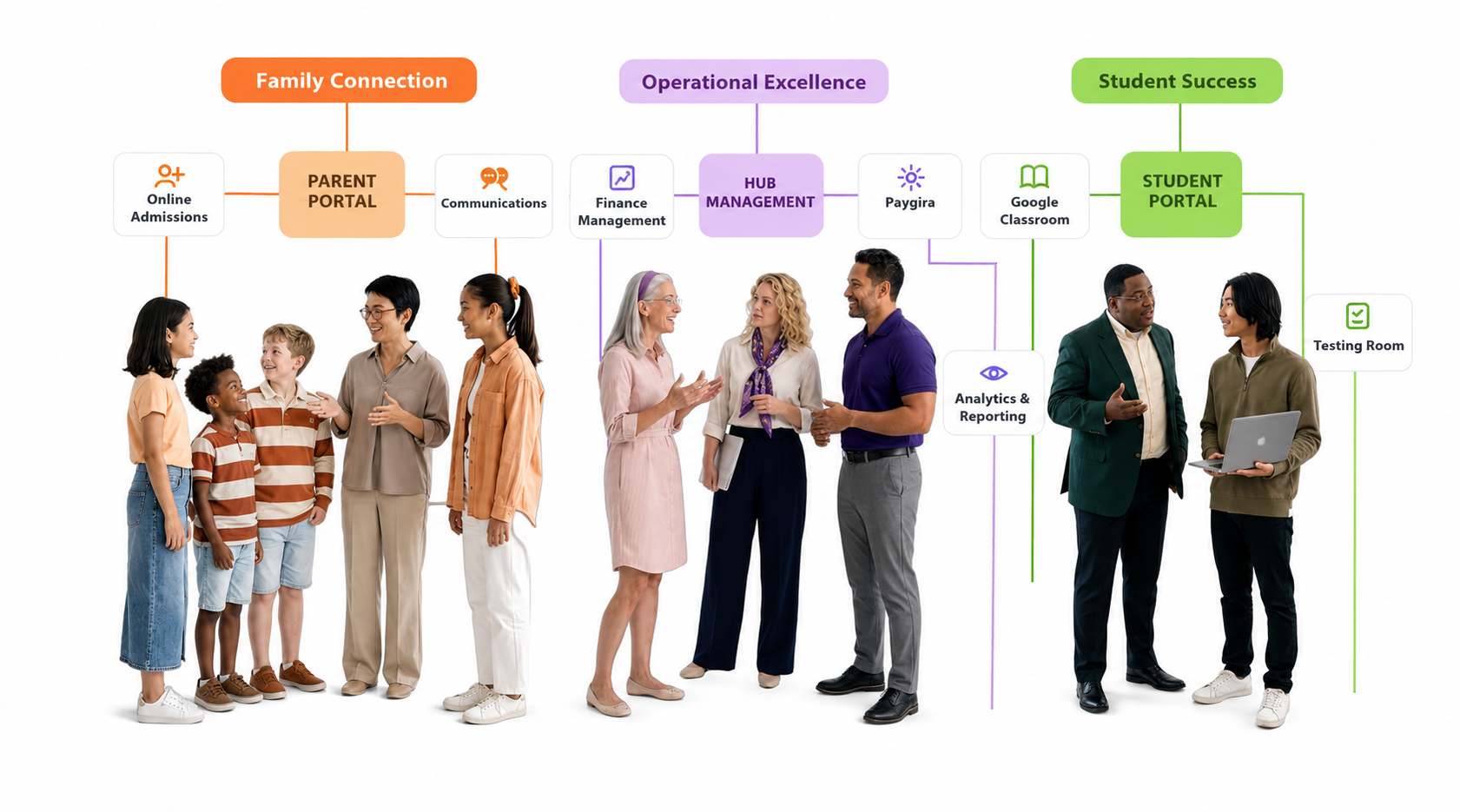
PayGira is Managira's school payments workflow. Schools use it to create bills, accept guardian payments, record manual collections, manage partial payments and credit, and keep a full audit trail.
1 — Initial setup
- Open the Finance workspace.
- Configure payment settings, payout destination, and supported payment options.
- Verify the payout route before accepting online payments.
Tip: Guardian online payments stay unavailable until payout setup is completed successfully.
2 — Creating bills
- Create the bill or bill template.
- Choose the affected students, classes, or groups.
- Set due dates and whether partial payments are allowed.
- Publish the bill.
3 — Collector roles and My PayGira
Staff assigned collection responsibilities can use My PayGira to record in-person collections, including one-by-one and bulk collection workflows.
4 — Guardian payments
- Guardians open PayGira in the Guardian Portal.
- They review outstanding bills and choose a supported payment method.
- Successful payments immediately update balances and generate invoice/receipt records.
5 — Sign-off process
Once a bill scope is fully settled, authorised staff can sign it off. Sign-off locks the collection batch and records who finalised it, when, and for what total amount.
Permission required: Sign-off should be restricted to trusted finance users because it finalises the collection batch and reduces the chance of silent edits later.
6 — Recurring bills, partial payments, and credit
- Recurring bills: Use recurring schedules for repeating charges.
- Partial payments: Allow instalments while preserving the student's running balance.
- Student credit: Overpayments or adjustments can remain as credit and reduce future bills.
7 — Records kept after payment
- Payment amount, date, and method
- Collection staff member for manual collections
- Gateway reference or payment identifier for online payments
- Invoice and receipt history
- Balance and sign-off history
8 — Security
PayGira relies on authenticated sessions, role-based permissions, audited finance records, and secure external payment flows where online payments are enabled. Sensitive actions such as sign-off should always remain permission-protected.