

Overview
The Analytical Dashboard is a graphical representation of your organization's performance. It provides a quick summary of the school's size, followed by detailed analytics across academics, demographics, enrollment, and staffing.
Accessing the dashboard
Go to Reports → Organization Stats.
Dashboard sections
- 📈 Performance Overview — a summary of overall academic performance.
- 📊 Attendance by Class — attendance rates across each class.
- 📝 Assessment Performance — results across assessments.
- 📊 Class & Growth Analytics — class-level performance and growth trends.
- 🏆 Top Performing Classes — highlights the highest-performing classes.
- 📈 Organization Growth — growth of the organization over time.
- 👥 Demographics — a breakdown of the student population.
- 👫 Gender Distribution — student distribution by gender.
- 🏫 Students Per Class — class sizes across the school.
- 📋 Enrollment & Staffing — enrollment and staff numbers.
- 📊 Enrollment Over Terms — enrollment trends across terms.
- 👔 Employee Roles — staff distribution by role.
- 🎯 Subject Performance — performance across subjects.
- 📐 Subject Strength Profile — strengths and weaknesses by subject.
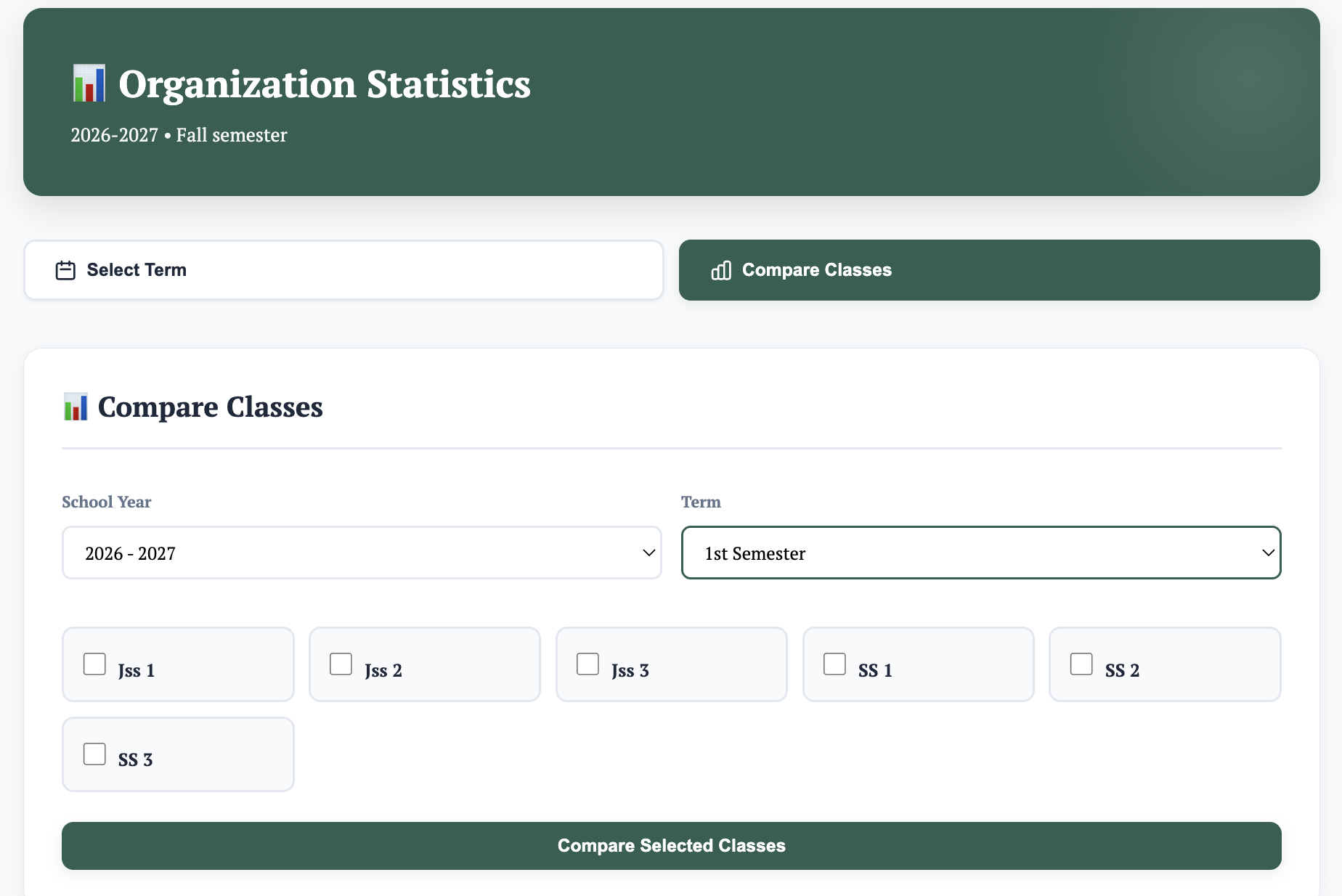
Comparisons
You can compare classes, terms, and even school years to track progress — individually or all together. This helps the school make meaningful, data-driven decisions.
Activity Log
The Activity Log records all activities in the school. It keeps track of every action and saves them for inspection or audit purposes.
Accessing the Activity Log
Go to Reports → Activity Log.
What it's used for
- Tracking all actions performed across the organization.
- Reviewing records for inspections.
- Supporting audits with a complete activity history.