
Activities for the school, a class or one student
Add field trips, clubs and appointments for the school, a class or one student. Families see them in their portal, with an optional reminder.
An activity is something students take part in: a field trip, a club meeting, a game, a tutoring session. Add it for the whole school, one class, or one student, and the right families see it, and only them.
Who can do this: Teachers for their own classes and students; anyone with Publish Events & Announcements for the whole school.
Add an activity
Open Management, Events, announcements & activities, and choose the Activities tab. Teachers can also use the Activities section of their class page.
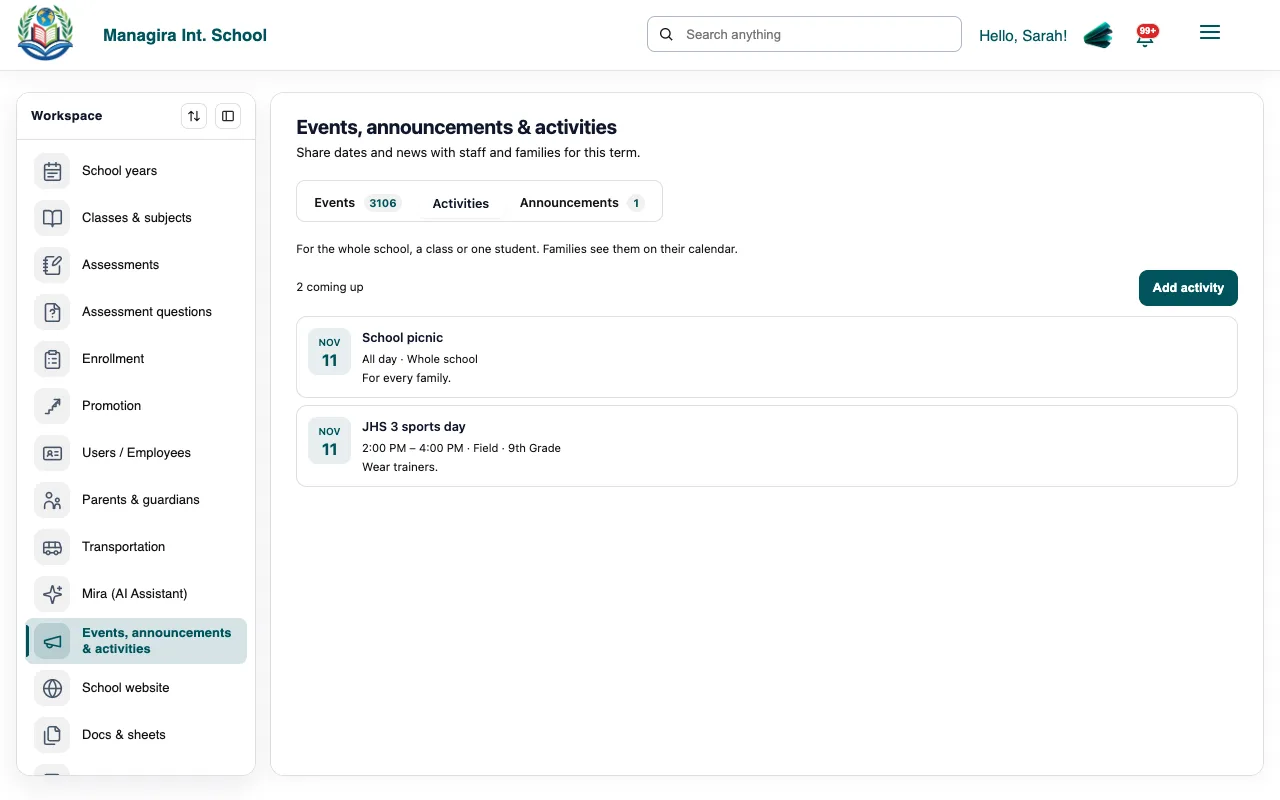
The Activities tab: everything coming up, for the school, a class or one student. Give it a title, and choose who it's for: the whole school, a class, or, after choosing a class, one student.
Set the date (and an end date for several days), the times or All day, the location and the details.
Tick Email families a reminder the day before if you'd like a reminder sent.
Save. Families are notified straight away.
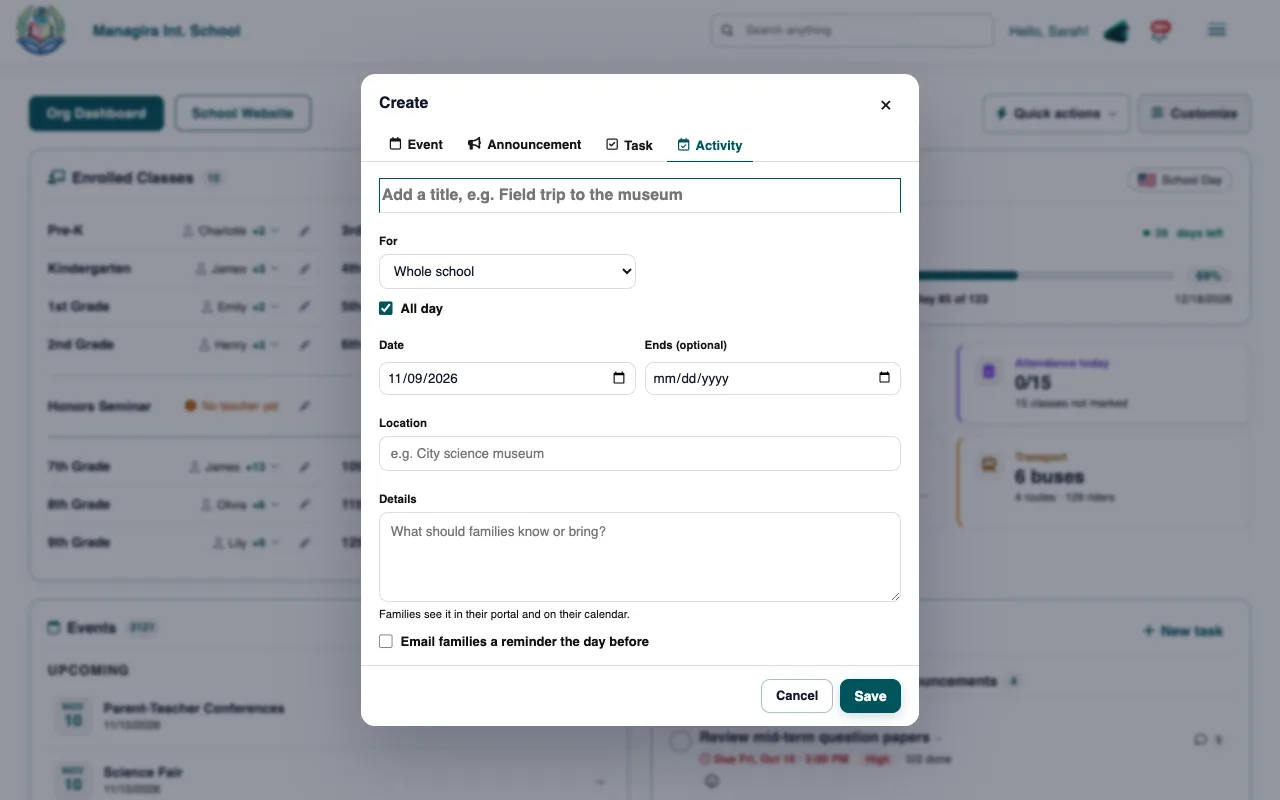
Tip: In a hurry? Use New task on the dashboard and choose the Activity tab.
Who sees it
| Activity for | Who sees it |
|---|---|
| The whole school | Every family and student, and all staff. |
| A class | That class's students and their parents, and the class's teachers. |
| One student | Only that student and their parents, and the student's teachers. |
Example: A counselor adds College application workshop for one 12th grader, on Tuesday at 3:30 PM in the library, with a reminder. Only that student and their parents see it and get the reminder.
Good to know: Families see activities in the Activities menu of their portal and on their calendar. Reminder emails come from reminders@managira.com, the day before, once.
Frequently asked questions
What's the difference between an event and an activity?
Events are school-wide dates on everyone's calendar. Activities are for the students taking part (the school, a class or one student), with an optional reminder to their families.
Can I change an activity after posting it?
Yes. Edit it in the Activities tab. If you change the date, families get a new reminder for the new date.
Was this guide helpful?