
Report Builder
Build any report you need: students, attendance, grades, staff, fees, messages, transportation and more. Filter, choose columns, save, share, export or email.
Report Builder answers questions like which 9th graders missed more than five days this month? or which families still owe fees? Pick a report, filter it, choose the columns, and export it.
Who can do this: Managers, and staff given Report Builder. Each report also needs the permission for what it shows.
Build a report
Open Reports, then Report Builder, and choose a report.
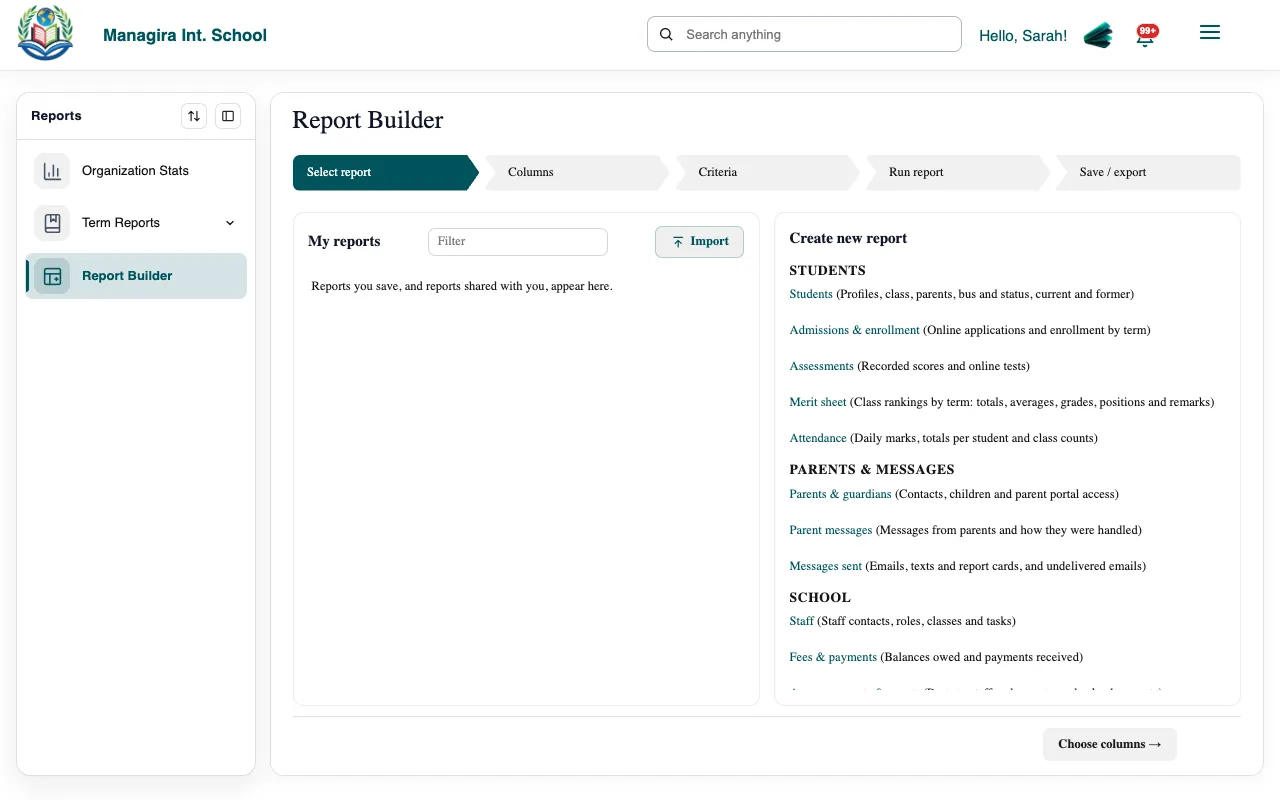
Reports, Report Builder: choose a report, filter it, choose columns. Add filters: school year and term, class, dates, status and more.
Choose and order the columns, and sort.
Run it. The results show on screen.
Reports you can build
| Area | Reports |
|---|---|
| Students | Students; admissions and enrollment |
| Academics | Assessment results, online tests, merit sheets |
| Attendance | Daily attendance, attendance summary, attendance by class |
| Families | Parents and guardians, parent messages |
| Communication | Messages sent, failed emails |
| Staff | Staff, staff tasks, activity log |
| Finance | Fee balances, payments |
| Calendar | Announcements, events |
| Transportation | Riders, bus requests, trips, arrival checks, driver reports, buses, drivers, routes |
Examples: reports schools use every week
Students who missed more than five days this month
Choose Attendance, then the attendance summary.
Filter the dates to this month, and the class if you want one grade.
Sort by days absent, highest first, and keep the students with more than five.
Run it, then email it to your counselor or export it.
Families who still owe fees
Choose Fees & payments, then Fee balances.
Filter to balances above zero, and to a class or bill if you like.
Add the parent name, email and phone columns.
Export to Excel for the office, or follow up from the Mail Room.
A class list with parent contacts
Choose Students.
Filter to the class.
Add the parent and guardian columns: name, relationship, phone and email.
Export to Word or Excel for field trips, substitutes or emergencies.
Results for one assessment
Choose Assessments, then the assessment results.
Filter to the term, class, subject and assessment.
Sort by score to see who needs help and who can be stretched.
Who rides each bus
Choose Riders.
Filter to the route or bus.
Add the stop and parent phone columns, and share it with the driver's lead.
Tip: Ask Mira instead: List 9th graders who missed more than five days in October or Which families still owe more than $100? Mira builds the same report in Report Builder for you. See What Mira can do.
Save, share and export
- Save a report to run it again with one click. You can share a saved report with colleagues.
- Export to CSV (up to 100,000 rows), Excel (up to 25,000 rows) or Word (up to 10,000 rows).
- Email it. Reports are sent from reports@managira.com.
Good to know: Saving and exporting always use the last report you ran, so what you export matches what you see.
Frequently asked questions
Why are some columns missing?
Columns about parents or attendance need those permissions. Ask a manager if you need them.
A driver sees fewer rows than I do.
People with limited access see only their own rows, for example a driver's own trips. Full access opens everyone's.
Was this guide helpful?