
Your profile, appearance and notifications
Change your photo and name, choose Light, Classic or Dark appearance, update your email or password, and choose which emails you get.
Who can do this: Everyone. Parents and students have Settings in their own portal.
Your photo and name
Open the menu (☰) and choose Settings, then Profile.
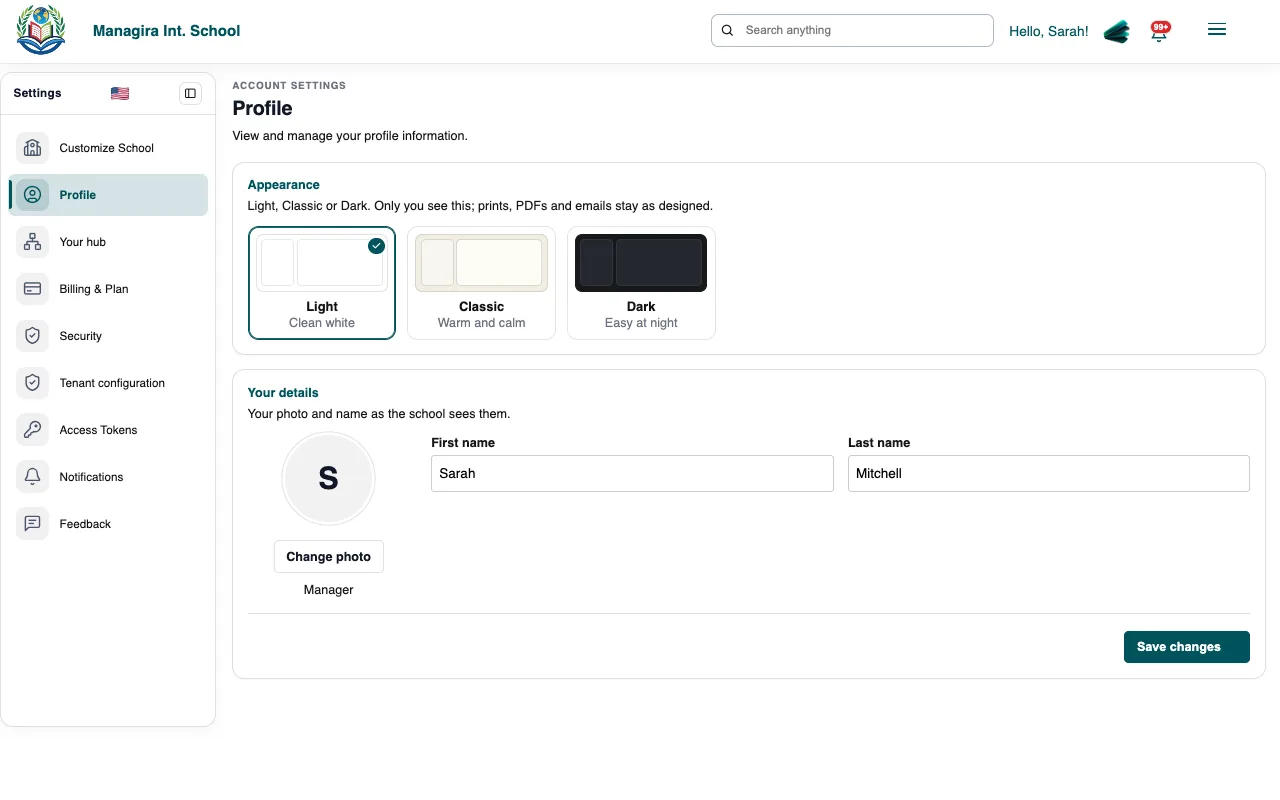
Settings, Profile: your appearance, photo and name. Under Your details, select Change photo, or edit your first and last name, and save.
Light, Classic or Dark
At the top of Profile, choose Appearance: Light, Classic or Dark. Your choice follows you on every device. Parents and students choose theirs in Settings in their portal.
Email, password and notifications
- Settings, Security: change your email address or password.
- Settings, Notifications: choose which emails you get, such as events and announcements, messages and reminders.
Frequently asked questions
Why can't I change my email?
Your school may manage emails centrally, or use single sign-on. Ask a manager.
Was this guide helpful?