
Docs and sheets
Write letters and notes in Docs and keep tables and lists in Sheets, inside Managira: share them with colleagues or attach them to a class.
Docs & Sheets keeps school paperwork next to the students it's about: permission letters, lesson notes, sign-up lists, seating charts. Nothing to download, and you choose exactly who can see each one.
Who can do this: Staff whose school's plan includes Docs & Sheets. Managers and staff with Manage School Records manage the school's documents.
Create a doc or sheet
Open Management, then Docs & sheets (or Docs & Sheets on a class page), and select New doc or sheet.
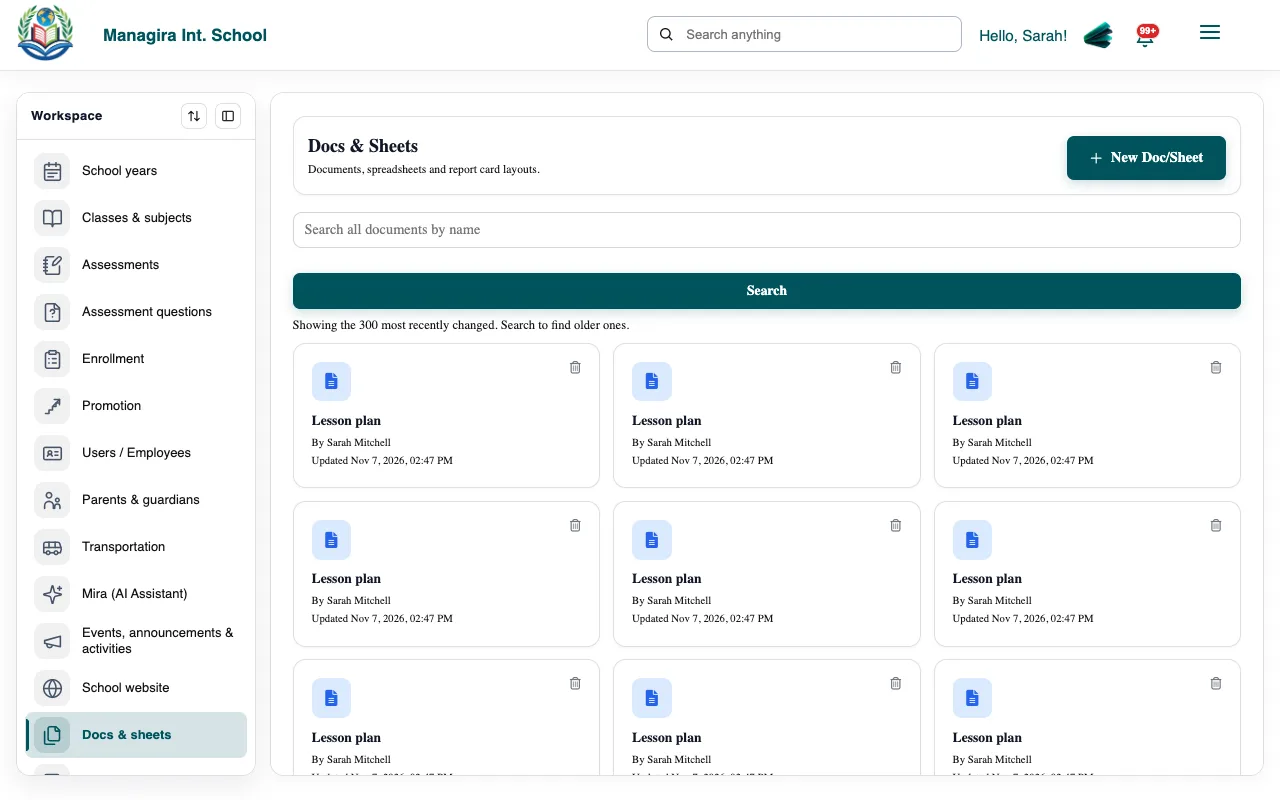
Docs & sheets: your school's documents and spreadsheets. Choose a Doc (letters, notes, report cards) or a Sheet (tables, lists), give it a name, and select Create.
Write or fill it in. Changes save as you go.
Share it
- Share with a colleague so they can open it from their own Docs & Sheets.
- Attach to a class so it shows under that class, for its teachers.
- Find documents with Search, or filter to This class or Personal.
Tip: Ask Mira: Create a sheet of 6th Grade students with their parents' phone numbers and share it with the front office.
Was this guide helpful?