
Live bus tracking for families
Parents and students watch the bus on the map along its real route, see when it will reach their stop, and mark a child as not riding today.
Who can do this: Parents, students and staff, once the school uses Transportation.
Track the bus
In the parent or student portal, select Track bus.
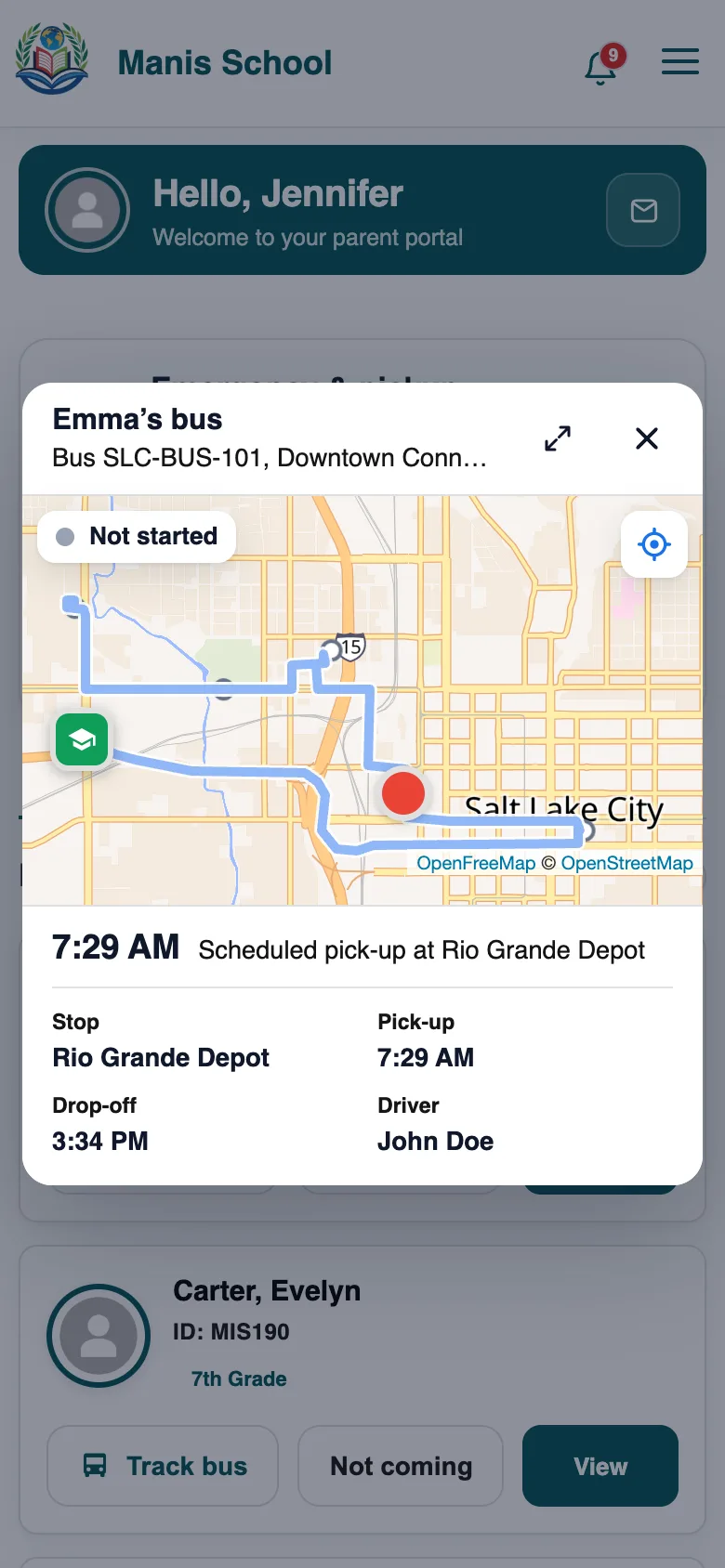
Track bus: the bus on its route, and when it will reach your stop. The map shows the bus moving along the route's real road through its stops, and an arrival time for your stop.
Get a notification when your child boards.
Good to know: If the driver's phone goes quiet for a while, the map says the bus position is estimated. An estimate is only made while the bus is on its route, and it never says the bus has passed your stop.
Not coming today
On your child's card in the parent portal, choose Not coming today.
The driver's list updates, so the bus doesn't wait.
Tip: To stop using the bus altogether, send a request from the same card. It goes to the school's transport leads.
For teachers
A class's Transportation tab shows which students ride which bus, with live tracking. Teachers can mark a student as not riding today, and see class bus reports if they have Class Bus Reports.
Was this guide helpful?