
The driver app
Drivers start their run, follow turn-by-turn directions, confirm boarding with one tap, mark arrivals, end the trip and report problems, all from their phone.
Drivers sign in on their phone and see today's runs. The app does the counting for them: it assumes everyone boards and arrives, and drivers only tap for exceptions, so nothing slows down the route.
Who can do this: Drivers. Their school adds them in Transportation, Drivers.
Run a trip
Sign in on your phone and choose today's run.
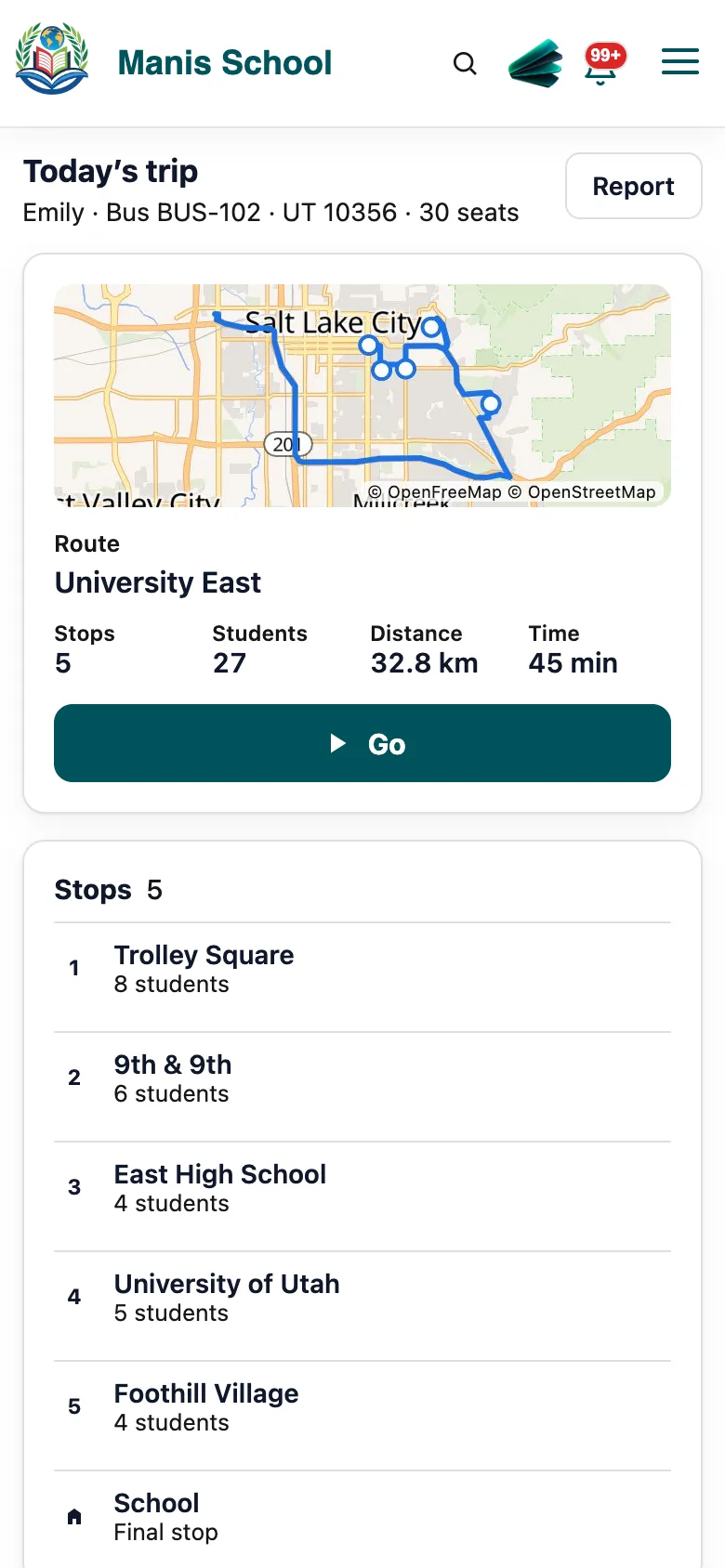
The driver app: the route, directions and the next stop. Start the trip. Families can now see the bus on the map, and directions guide you to each stop.
At each stop, everyone due there is counted as All boarded when you drive off. If someone didn't board, tap Except and choose who.
At school (or the last stop), select End trip. Everyone on board is marked as arrived, in the same tap.
Good to know: If the signal drops, the app keeps working and sends everything when it can, so ending a trip never makes you wait.
Report a problem
Select Report, choose the type (for example, a student's behavior or a bus problem) and describe it.
Send. Your lead drivers see it, and decide who else should.
What drivers can see
- Their own runs, routes, stops and riders.
- Riders' pickup and emergency details, if the school gives them Pickup & Emergency.
- Only the map zooms, so the screen stays steady while driving.
Important: Drive safely: set up the run before you move, and let the app count boarding for you.
Was this guide helpful?