
Emergency & pickup details
Keep emergency contacts and authorized pickups on each family's record, choose who sees each section, and give teachers a class Pickup list.
Emergency and pickup details live on each parent's record, in sections you design (for example Emergency contact and Allowed to pick up). Each section says who else may see it, so the right people have the right information, and nobody else does.
Who can do this: Managers and staff given the Contact template permission choose the sharing. Parents update; students, teachers and drivers see what's shared with them.
Choose who sees each section
Open Admissions, Admission Settings, then the Parents & guardians tab.
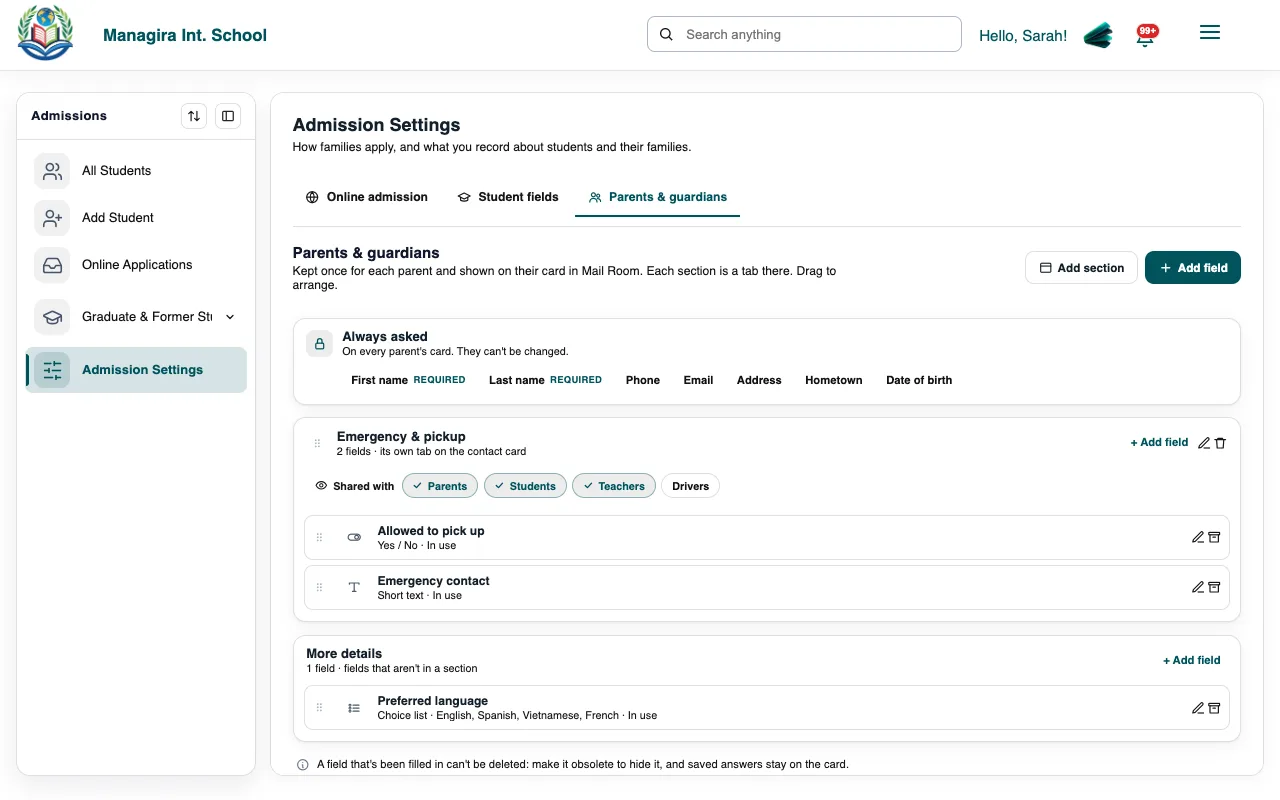
Each section's Shared with chips: parents, students, teachers and drivers. Add the sections and fields you need, or use the ones there.
For each section, tick Shared with: Parents, Students, Teachers and Drivers. Office staff always see everything.
| Shared with | What they get |
|---|---|
| Parents | See the section on their own record in the parent portal and can update it. |
| Students | See who's picking them up in the student portal. |
| Teachers | See it on their class's Pickup list. |
| Drivers | See it for their own riders only, if they also have the Pickup & Emergency driver permission. |
Parents keep it current
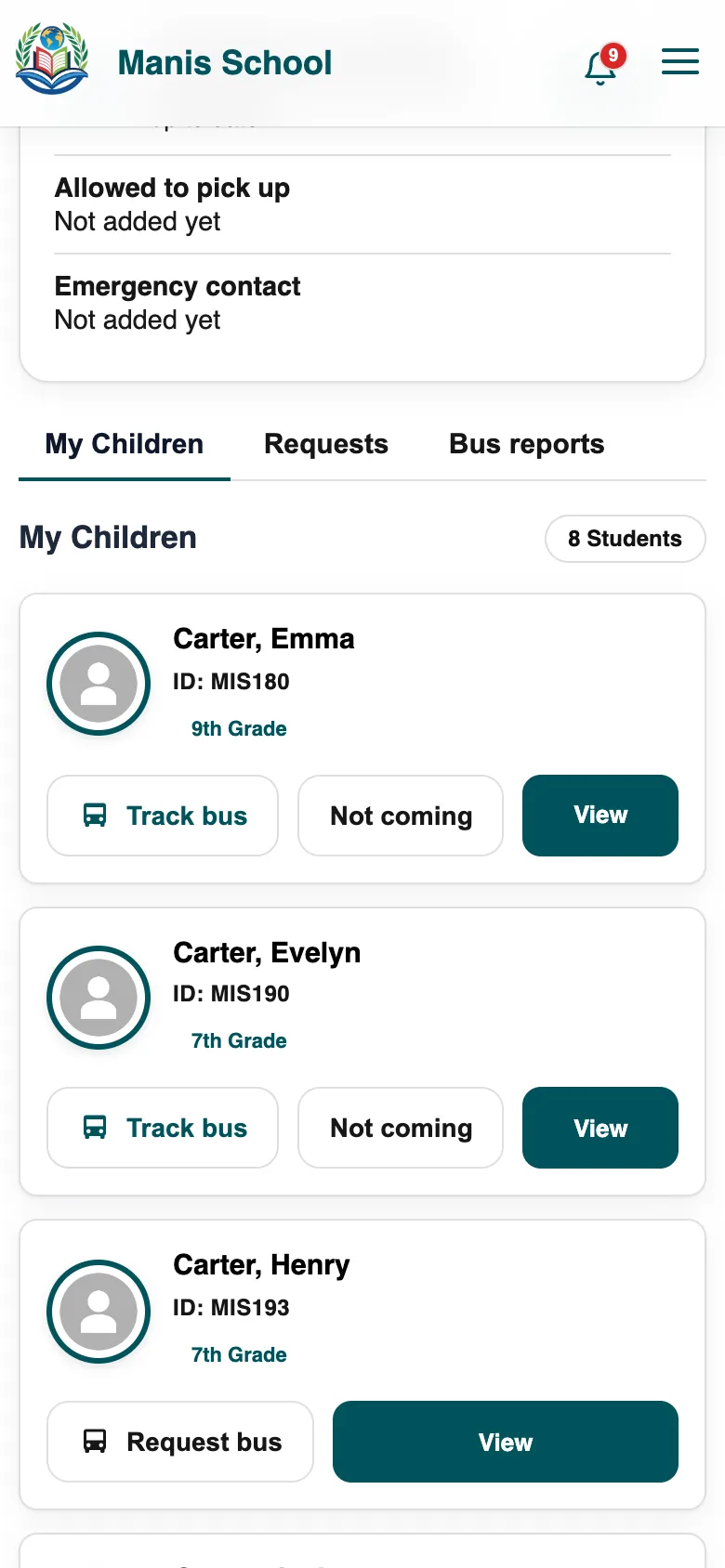
Parents find the shared sections on their dashboard, update them and save. Each parent can only change their own record, and only the sections shared with parents.
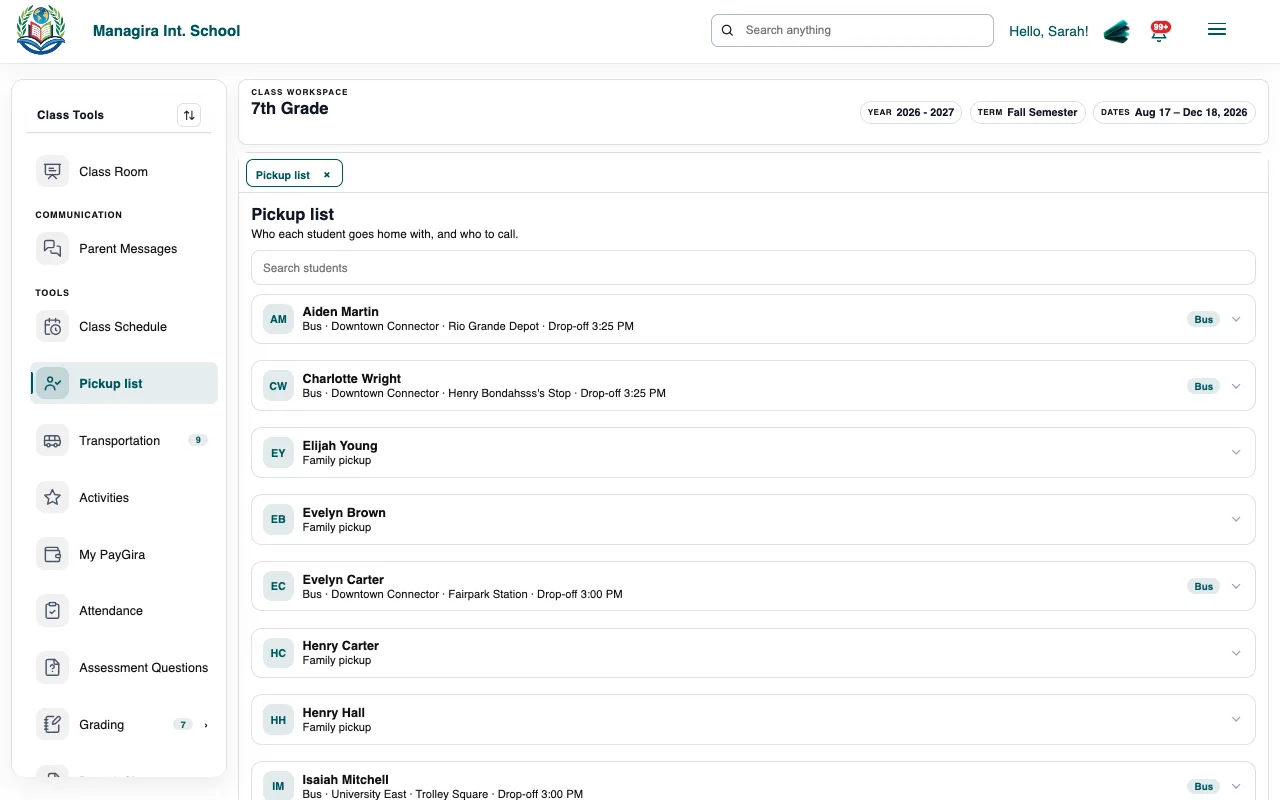
The class Pickup list
A teacher opens their class and chooses Pickup list.
They see each student with who may pick them up and their emergency contacts, from the sections shared with teachers.
Frequently asked questions
Can a parent see another family's details?
No. Parents only ever see their own record.
What does a driver see?
Only the sections shared with drivers, only for students on their own runs, and only with the Pickup & Emergency permission.
Is anything shared by default?
No. Nothing is shared beyond the office until you tick who should see it.
Was this guide helpful?