
Grades and report cards
See your child's grades for each subject, attendance, teachers and report cards. New grades show once the teacher posts them.
Who can do this: Parents and guardians.
Academic info
On your child's page, open Academic info. Choose the term at the top.
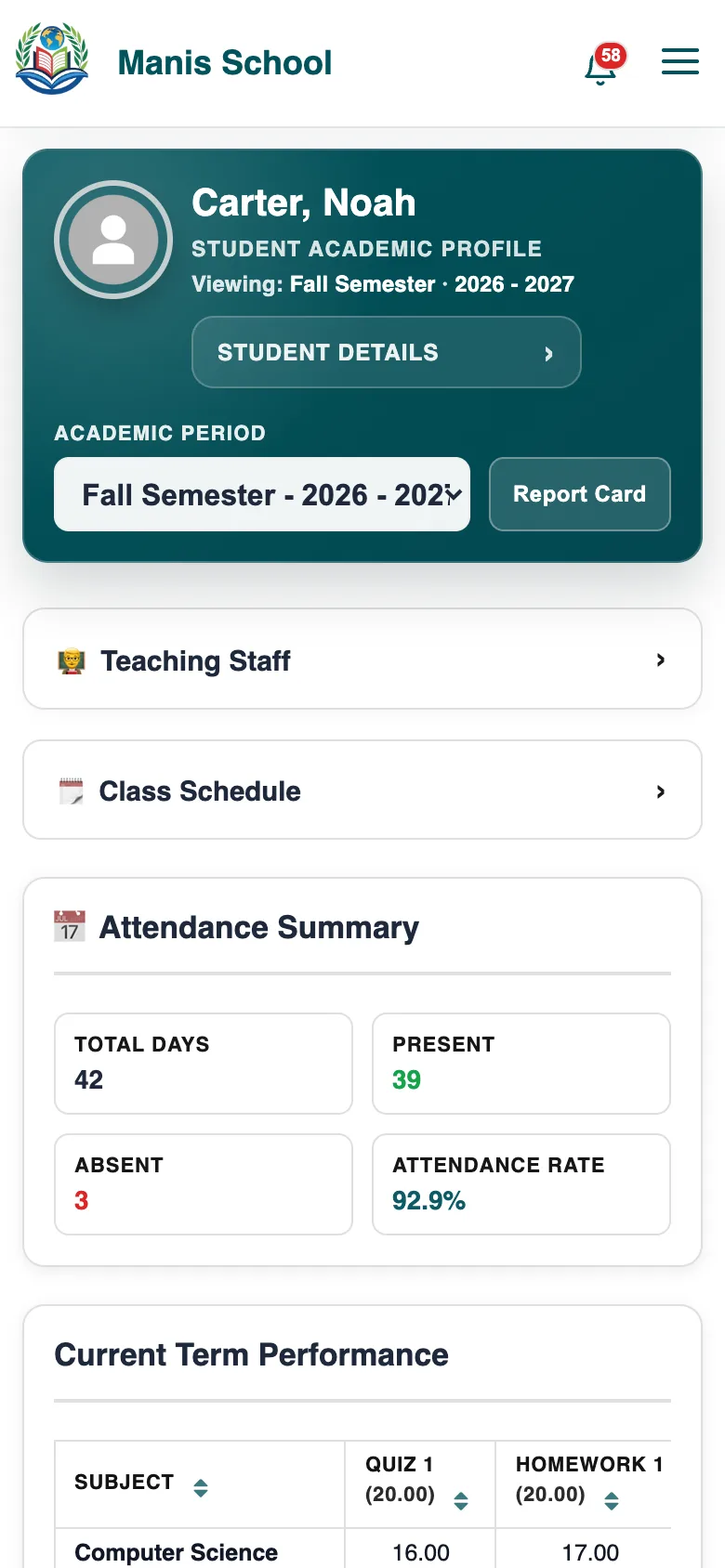
Academic info: teachers, schedule, attendance and grades for the term. Teaching Staff and Class Schedule open with a tap.
Attendance Summary: school days, days present and absent, and the attendance rate.
Current Term Performance: each subject's assessments, total and grade.
Good to know: A grade shows once the teacher posts it. While a subject has a grade waiting, its total waits too, so a total never counts a grade you can't see.
Report cards
Select Report Card at the top of Academic info. Each report card the school posted is listed; select Open PDF.
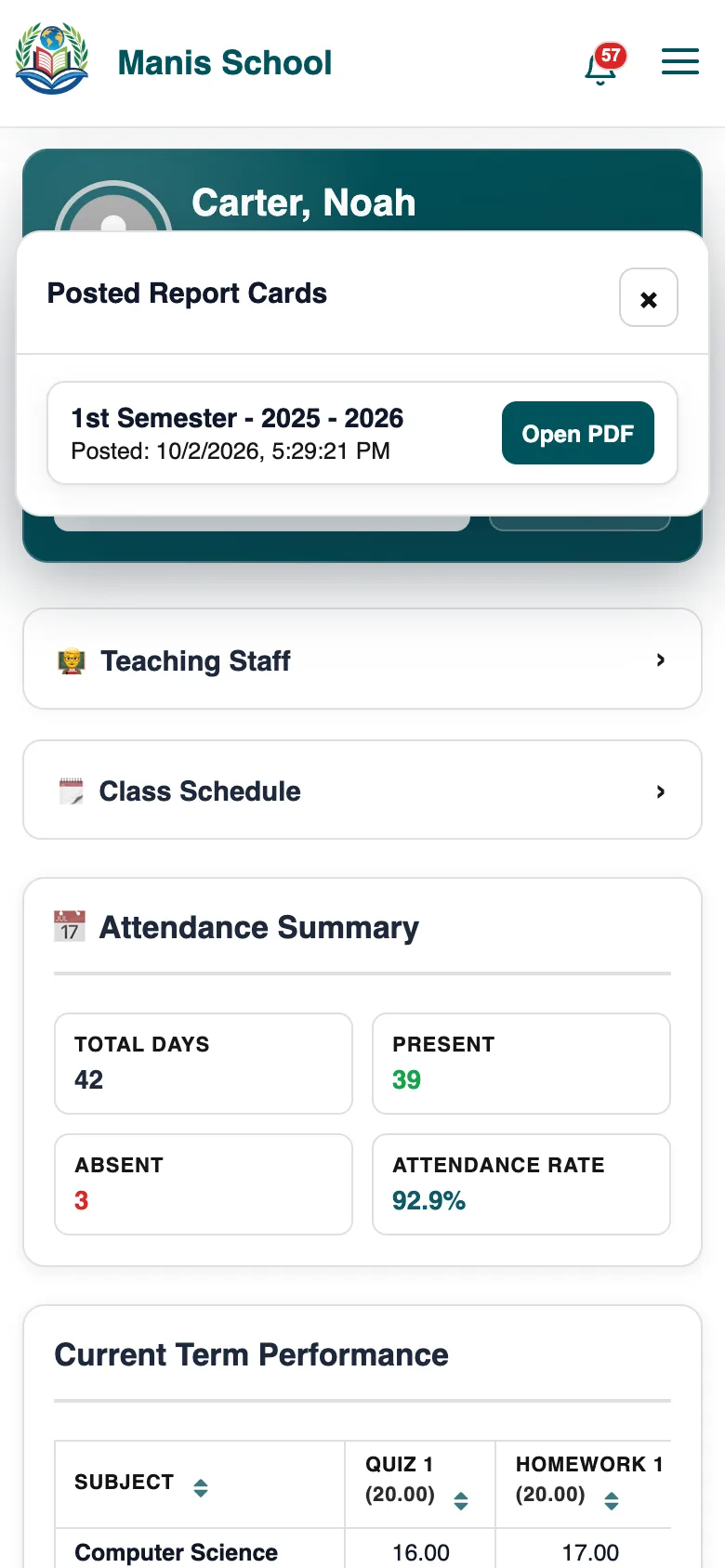
Posted report cards, ready to open.
Frequently asked questions
A grade is missing.
The teacher hasn't posted it yet. You'll get a notice when they do.
Can I see last term?
Yes: choose it in Academic period.
Was this guide helpful?