
Take a test
Start a test, answer every kind of question (pictures too) and submit. Answers save as you go; open-book files sit beside the questions.
Who can do this: Students.
Open the Testing Room
Open Testing Room from the menu or the dashboard.
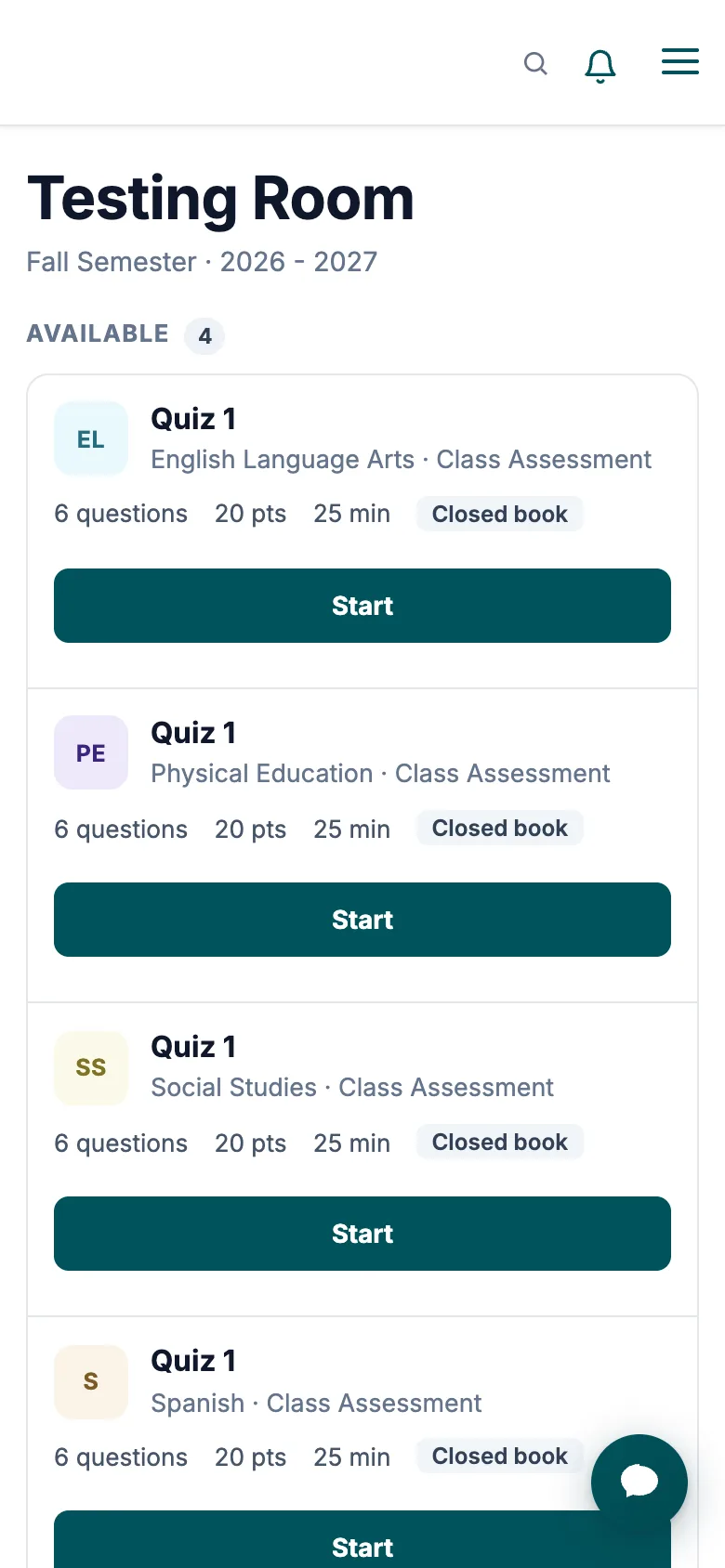
- Available: tests you can take now, with the subject, questions, points, time limit, open or closed book, and when it's due.
- Locked: a closed-book test you left before submitting. Ask your teacher to unlock it.
- Completed: finished tests, with the grade once your teacher posts it.
Take it
Select Start, check the questions, points, time and attempt, then select Start test.
Answer each question. The numbers at the top jump to a question and fill in as you answer; the timer and Submit stay at the top. For a picture, type what each number shows in its box.
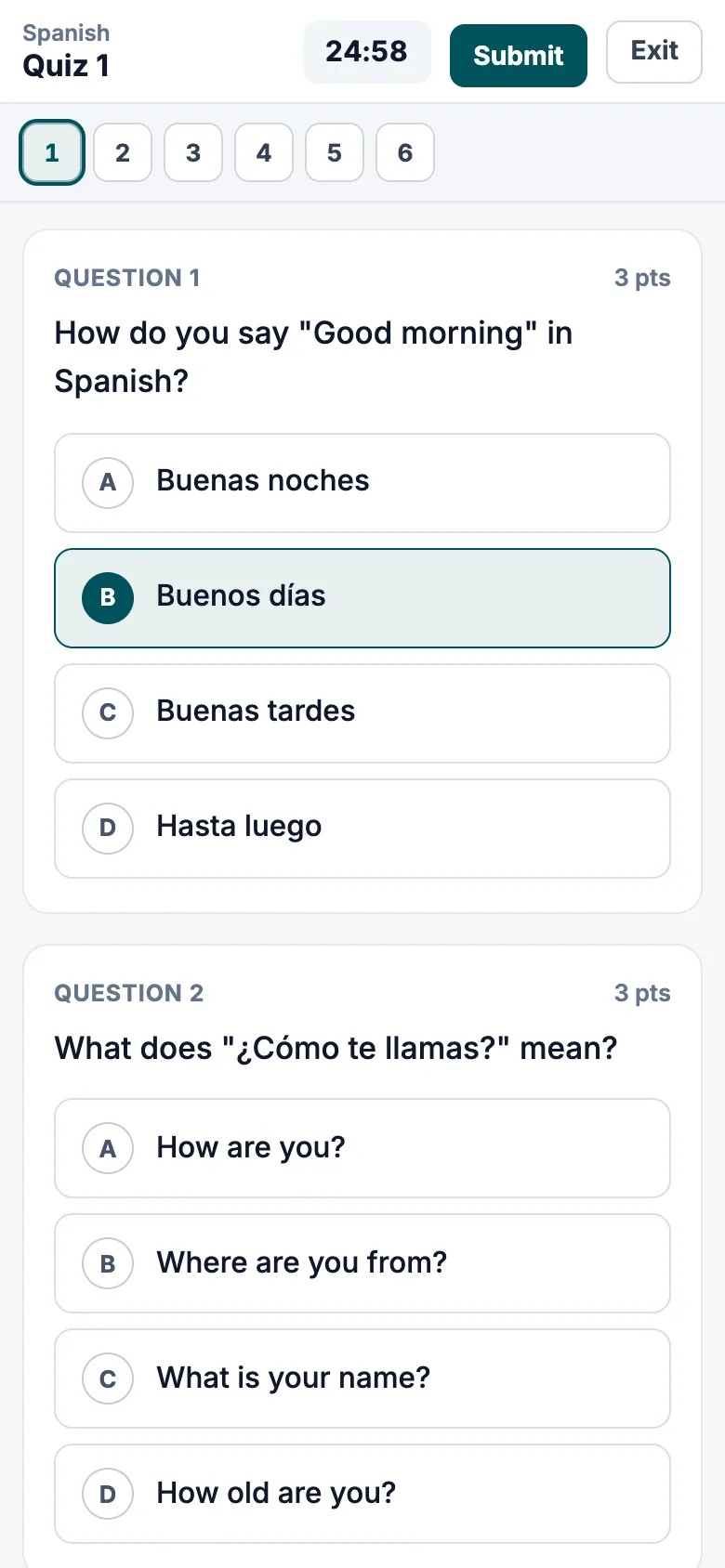
The timer and Submit at the top, and numbers to jump between questions. Select Submit when you're done. Managira tells you how many questions have no answer before you confirm.
| Question | How to answer |
|---|---|
| Choose one / True or False | Pick one. |
| Choose several | Pick every right answer. |
| Short answer | Type a word or phrase. |
| Label a picture | Type what each number shows. |
| Essay | Write your answer; your teacher marks it. |
Good to know
- Your answers save as you go.
- Closed book: stay on the test page until you submit. Switching to another tab or app locks the test; ask your teacher to unlock it.
- Open book: files your teacher attached open on the left, beside the questions (on a phone, switch between Questions and Resources). You can select Exit and come back later with Resume.
- With a time limit, the test submits itself when time runs out. Answers sent long after that don't count; the ones saved in time do.
Was this guide helpful?