
Forms and your child's portfolio
Fill in the forms your school sends, such as permission slips and health details, and open your child's portfolio of marked work for each term.
Who can do this: Parents and guardians. Students have the same two tiles on their dashboard.
Fill in a form
On your child's page, select Forms. A number on the tile means a form is waiting.
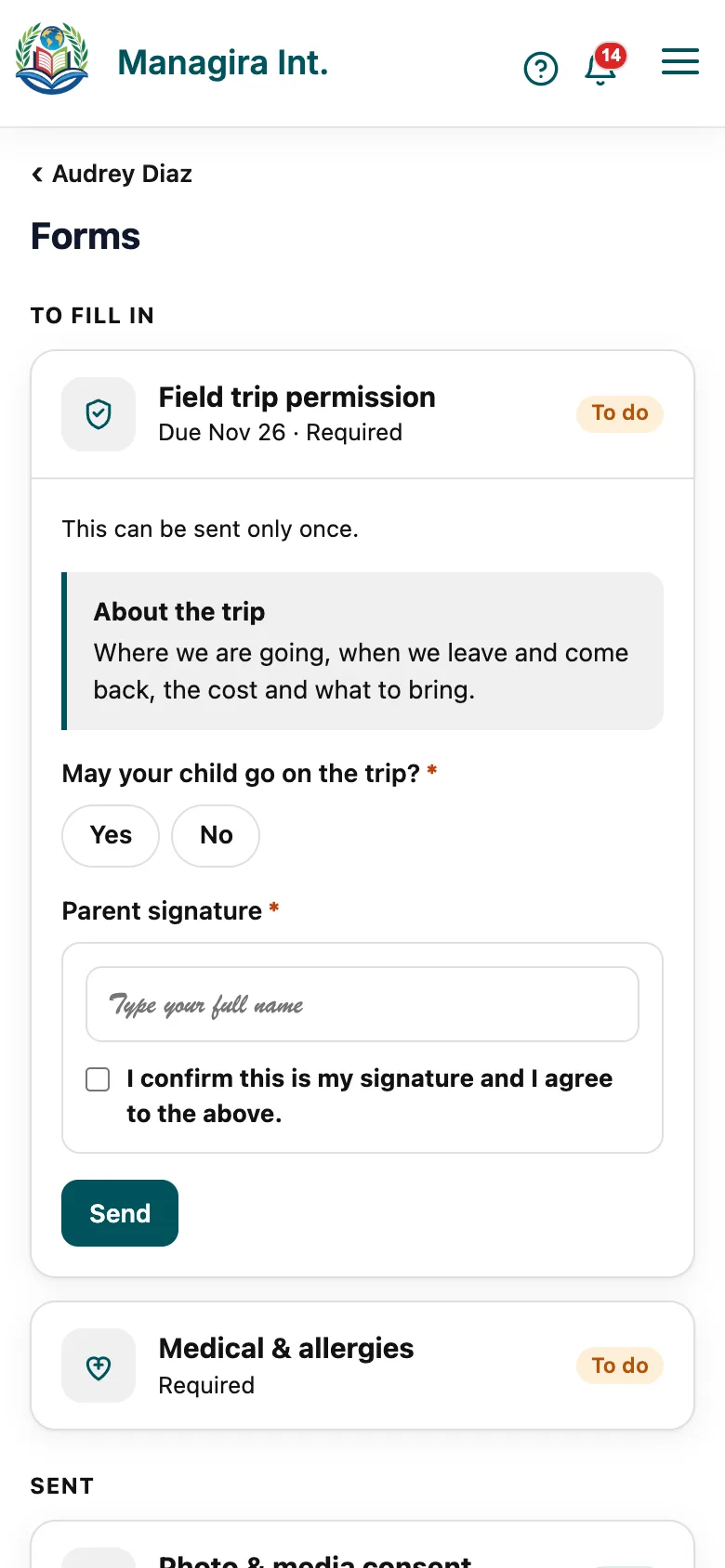
Forms: what to fill in, what you've sent, and what the school shared. Open a form under To fill in. A due date shows if there is one.
Answer the questions. Fields marked * are required.
Select Send.
- Sent lists what you've sent. Open one to change it and select Save changes.
- A form that says This can be sent only once can't be changed afterwards, so check your answers first.
- Shared by the school lists records the school lets you read, such as a reading log.
Good to know: You get a notification when a new form arrives, and a reminder before a required form is due.
The portfolio
On your child's page, select Portfolio.
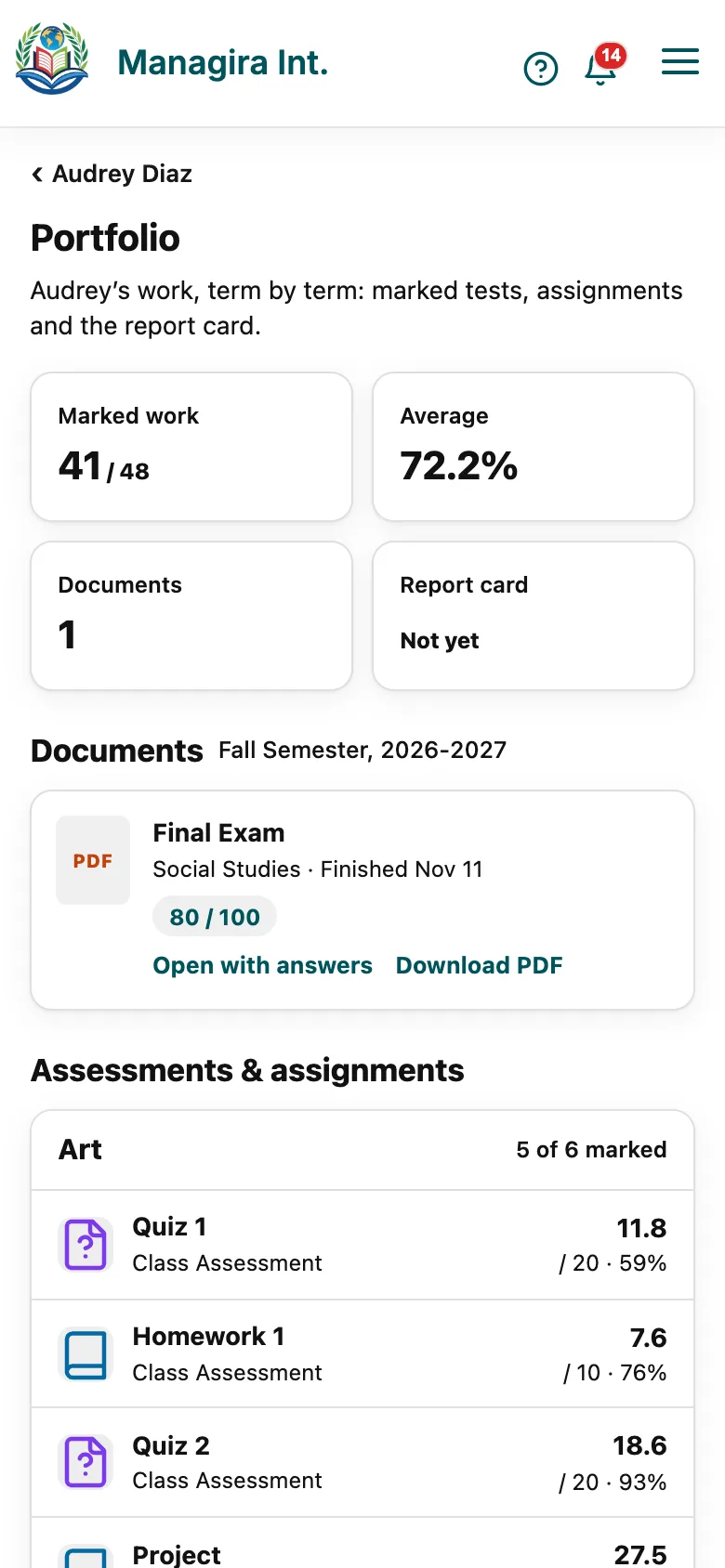
The portfolio: one folder for each term. Choose a term at the top.
Documents holds the term's report card and each marked online test. Select Open to read one, or Download PDF to keep it.
Assessments & assignments lists each subject's work with its mark.
Good to know: You see marks once the teacher has posted them, the same as on Grades and report cards.
Frequently asked questions
I sent the wrong answer.
Open the form under Sent and change it. If the form could be sent only once, message the teacher or the school office.
A test isn't in the portfolio.
It appears once the teacher has marked and posted it.
I handed the form in on paper.
That's fine. The teacher enters it for you, and it leaves your list.
Was this guide helpful?