
Read and report on a form's answers
See who has answered, download the answers as a spreadsheet, remind families, and build a report on a form in Report Builder.
Every section keeps its answers in one list. Read them, download them, nudge families who haven't answered, and report on them.
Who can do this: Managers, and staff given the Custom Editor permission. Teachers read the answers for their own classes.
Open the answers
In Management › Custom editor, select the list icon on the section's row, or open the section and select Answers.
The list shows each student, their status and when it was last saved.
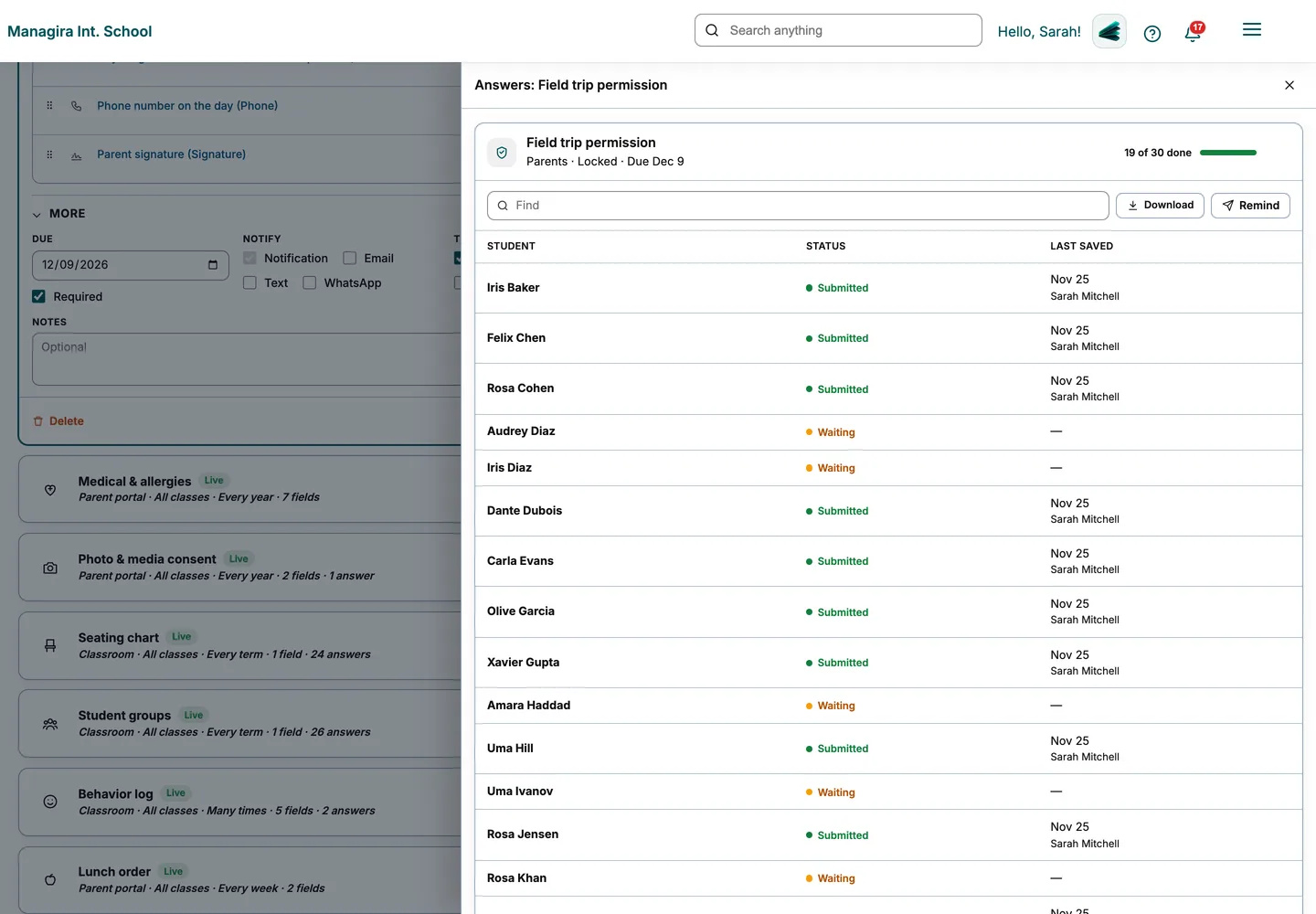
A field trip permission: 19 of 30 done. Select a student to read what was sent. A parent form shows Submitted or Waiting.
Download the answers
Select Download. Managira saves a spreadsheet (CSV): one row per answer with its day, and students who haven't answered marked Not yet.
Good to know: Cells that start with a formula character are made safe, so opening the file never runs anything.
Remind families
For a parent form, select Remind. Families who haven't filled it in get a notification, and an email if the form's Notify includes it.
Good to know: A family is reminded once a day at most. A required form also reminds once on its own, two days before its deadline.
Report on the answers
Select Report on the section. Report Builder opens on this form with its fields already chosen as columns.
Select Run. Save, share or export the report like any other.
Or open Reports › Report builder, choose Students, then Custom forms. Filter by form, class, term or day. Every field of your forms is a column, listed under its form's name.
Frequently asked questions
Does a new term clear the answers?
No. An Every term section starts a fresh answer each term. Earlier terms keep theirs, and you can still download or report on them. The same is true of each day and each week.
Who gets a notification when someone sends a form?
The class's main teacher, the people who build forms, or both. Change it under More › Tell.
Was this guide helpful?