
Alerts: choose what you hear about
Pick which news you get about your children, and how: in Managira, by email, by text or in the weekly briefing. Set it for all children or one.
Alerts tell you when something matters, such as a low score or an absence. You choose what and how.
Who can do this: Parents and guardians.
Alerts for one child
On your child's page, tap Alerts.
The page lists alerts under Academics, Attendance and Bus. Each row has a switch for In Managira, Email, Text message and Weekly briefing.
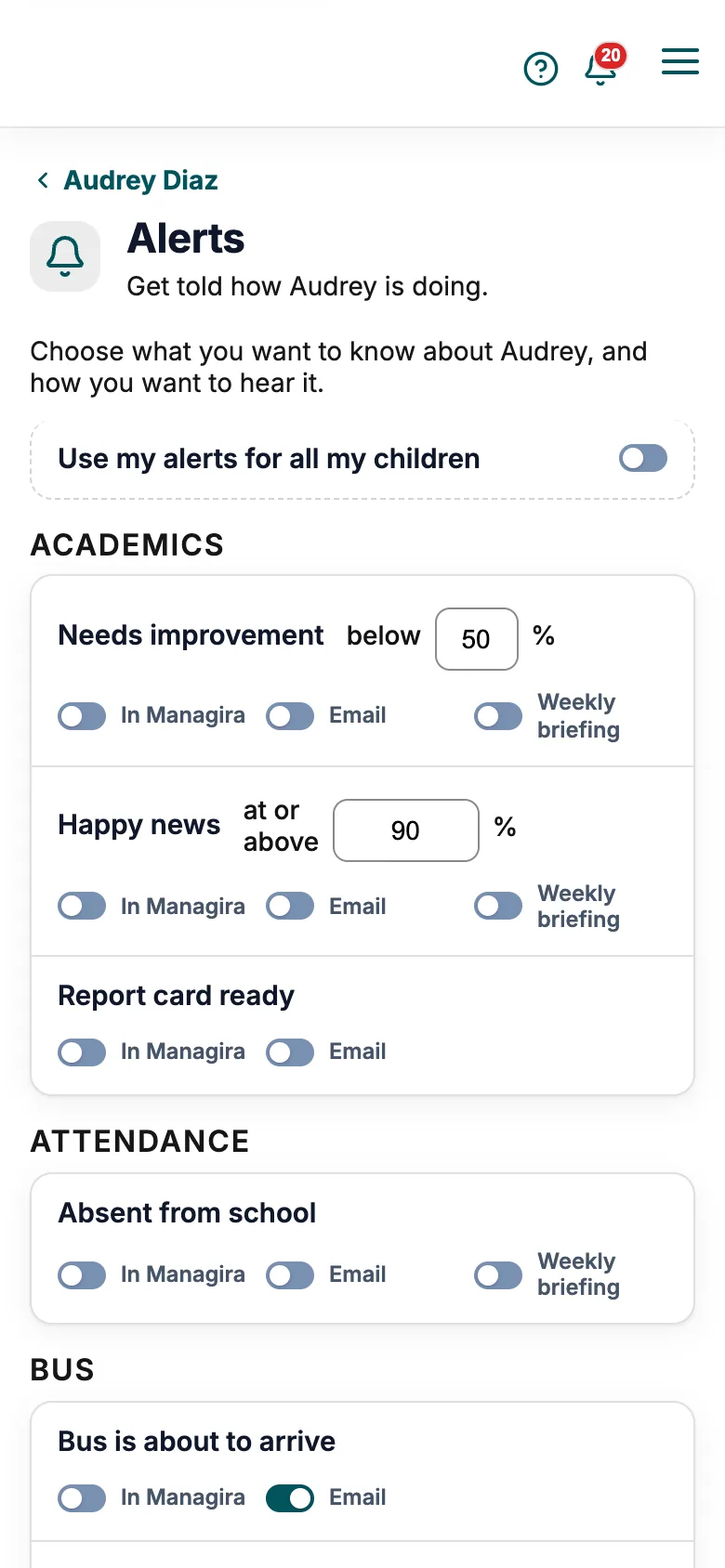
Switches for each alert. Turn on the ways you want. A row with nothing on is off.
For Needs improvement and Happy news, type the percentage that sets it off.
Tap Save notifications. The button turns on once you change something.
Alerts for all your children
Open Settings from the menu and open Notifications. The same list is there, and what you save applies to every child.
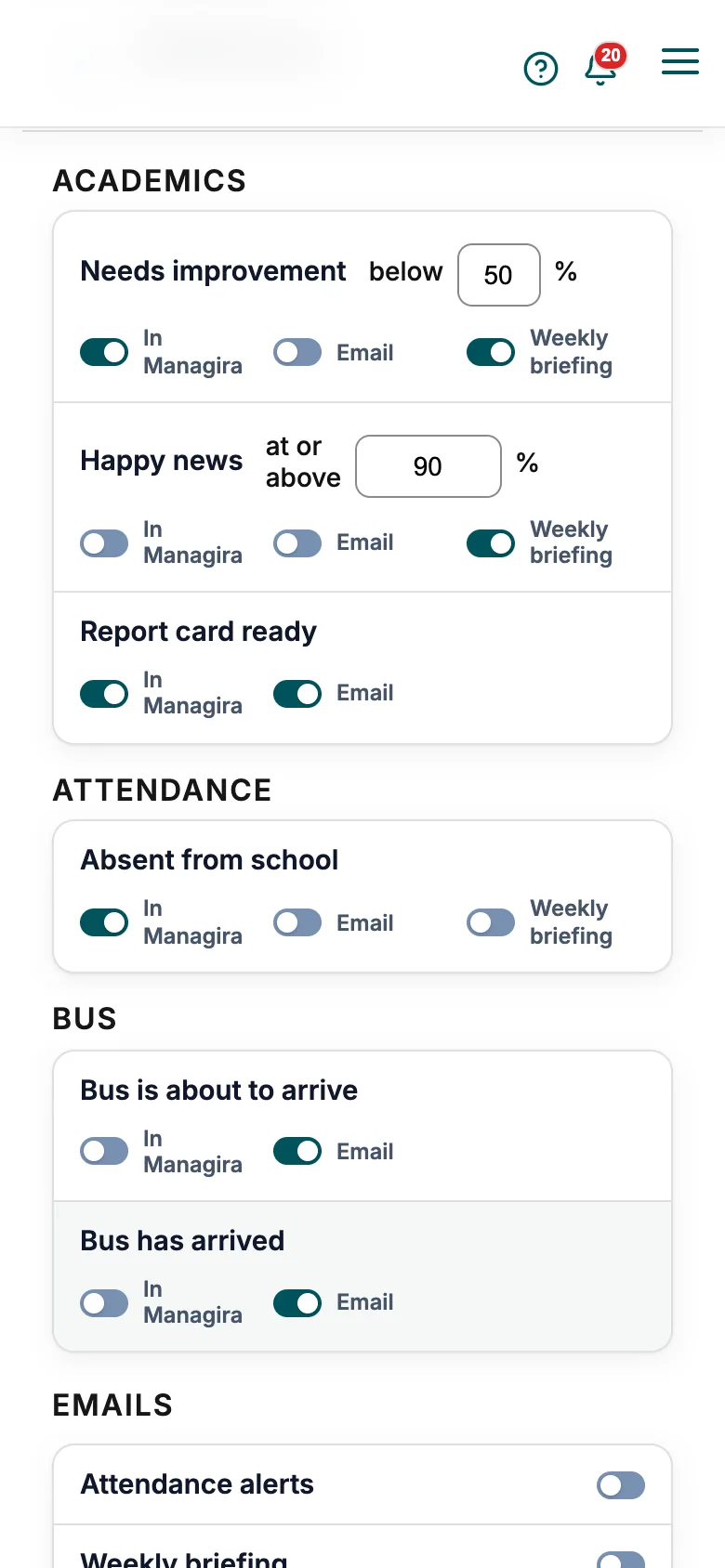
The same alerts in Settings, with the school's emails under them. On a child's Alerts page, the switch Use my alerts for all my children goes on while that child follows your common choices. Turn it off to set different alerts for just that child.
Tip: A child's own alerts replace your common ones for that child. Turn the switch on again to go back.
What each alert means
| Alert | You hear when… |
|---|---|
| Needs improvement | a posted score is below your percentage. |
| Happy news | a posted score is at or above your percentage. |
| Report card ready | the school posts a report card. |
| Absent from school | your child is marked absent. |
| Bus is about to arrive and Bus has arrived | the bus is near, or at, your child's stop. Only where the school uses the bus and your child rides. |
Good to know: A row marked Set by your school is locked. Text message shows only where your school has texting. Weekly briefing shows only where it is turned on. See Your notifications and alerts and Weekly briefing.
Frequently asked questions
I don't see an Alerts tile.
Your school keeps alerts off for your child's class. Ask the school office.
I get a report card email I didn't ask for.
Report cards and bus notices were always sent. Turn them off in Alerts.
Was this guide helpful?