
Fix emails that didn't arrive (Email issues)
See the addresses emails couldn't reach, correct them, and send a test to clear the problem.
When an email bounces, Managira lists the address here so you can fix it and people keep getting messages. The list updates by itself when a failure is detected.
Who can do this: Managers, and staff with access to Email issues.
Open Email issues
Go to Management › Email issues. A red number shows how many addresses need attention.
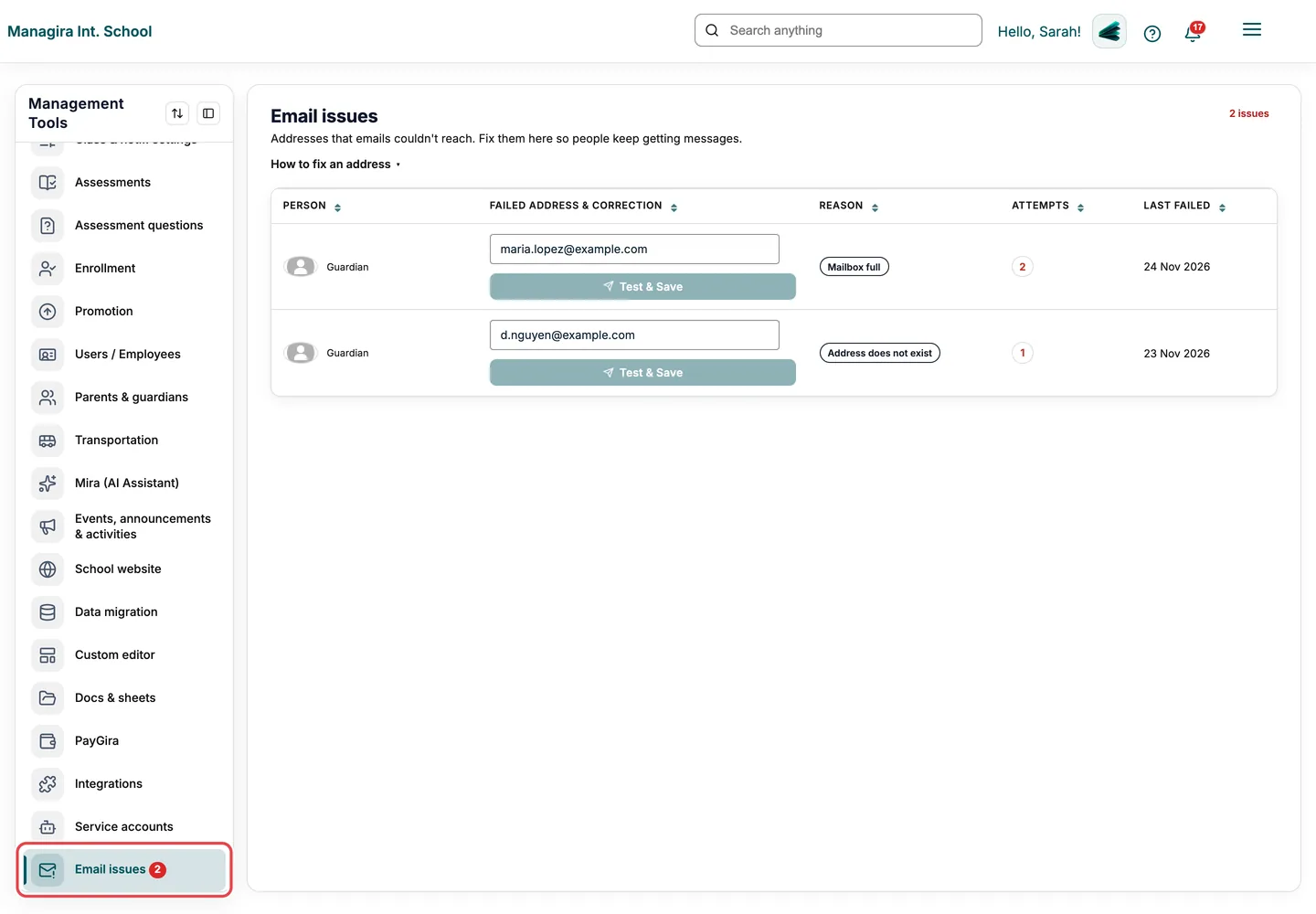
Email issues, with the count beside it in the menu. Each row shows the person, the address that failed with a box to correct it, the reason (for example Mailbox full or Address does not exist), how many attempts failed and when it last failed.
Correct an address
Type the right address in the box.
Select Test & Save. Managira sends a test email.
If it arrives, the issue clears by itself.
Tip: Select How to fix an address at the top of the page for the same steps.
When there are none
A check and All emails are working mean there are no undeliverable addresses on record.
Frequently asked questions
Why does the same address keep failing?
A full mailbox clears when the person frees space. An address that doesn't exist needs a new one. Ask the family for a current address.
Where do bounced Mailroom messages show?
Here, as email issues, and in the Mailroom's History. See Mailroom.
Was this guide helpful?