
Student ledger: what each student owes
See every student's billed, paid and owed amounts, open one student's bills and payments, and email their parents a link to pay.
The Student ledger puts each child's bills and payments in one place. It is the quickest way to answer a parent who asks what they owe.
Who can do this: Managers, and staff given PayGira › Student Ledger.
Open the ledger
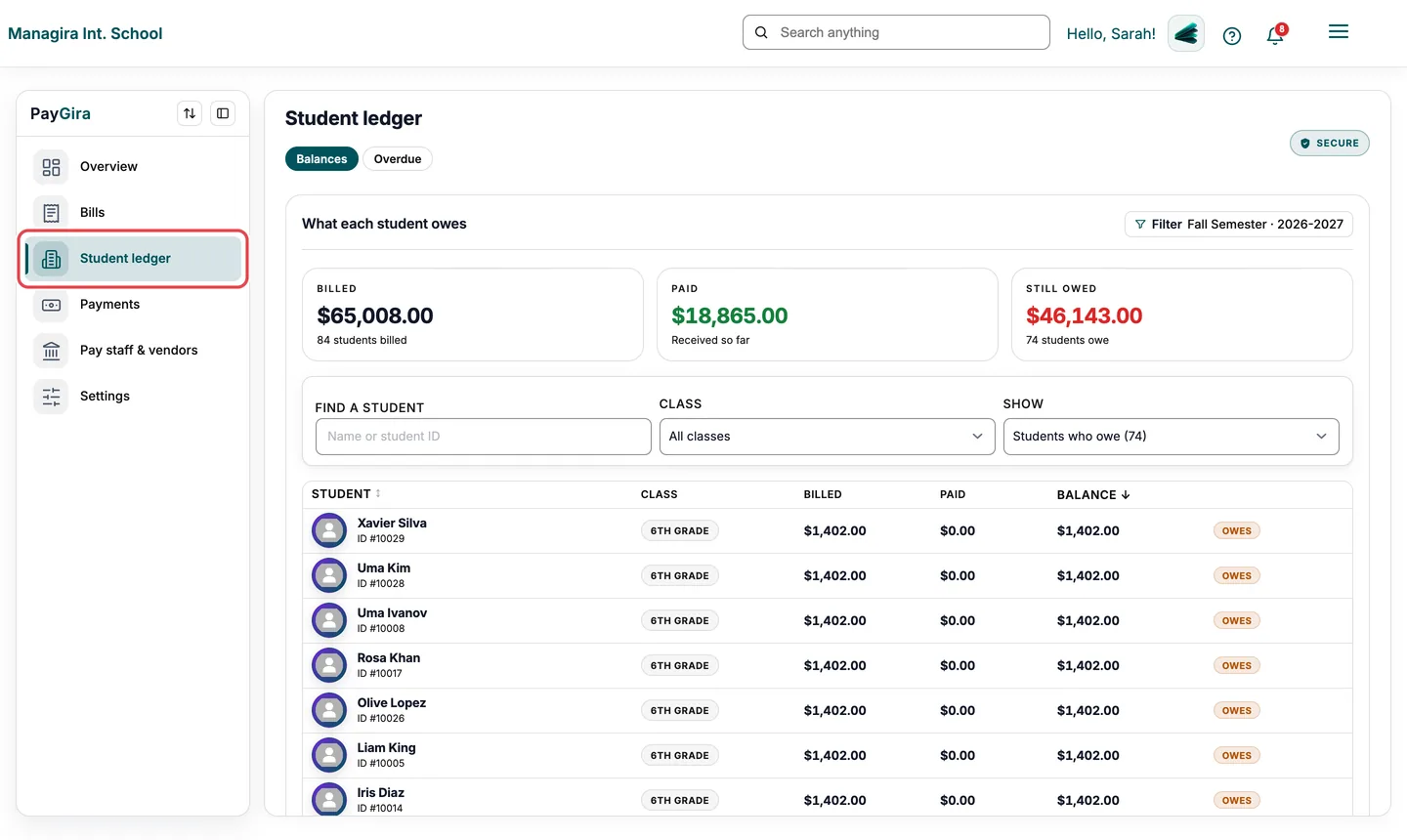
Go to Management › PayGira and select Student ledger.
It has two tabs: Balances (this page) and Overdue.
The three tiles at the top show Billed, Paid and Still owed for the period.
Find a student
Type a name or student ID in Find a student.
Use Class and Show to narrow it further.

Class and Show sit beside the search box.
- Show offers Students who owe, Everyone billed, Paid in full, With credit (when someone has credit) and All students, each with a count where it applies.
- The table shows each student's class, Billed, Paid, Balance and a badge: Owes, paid or credit. Select a column heading to sort.
Open a student's ledger
Select a student's row. Their ledger opens on the right.
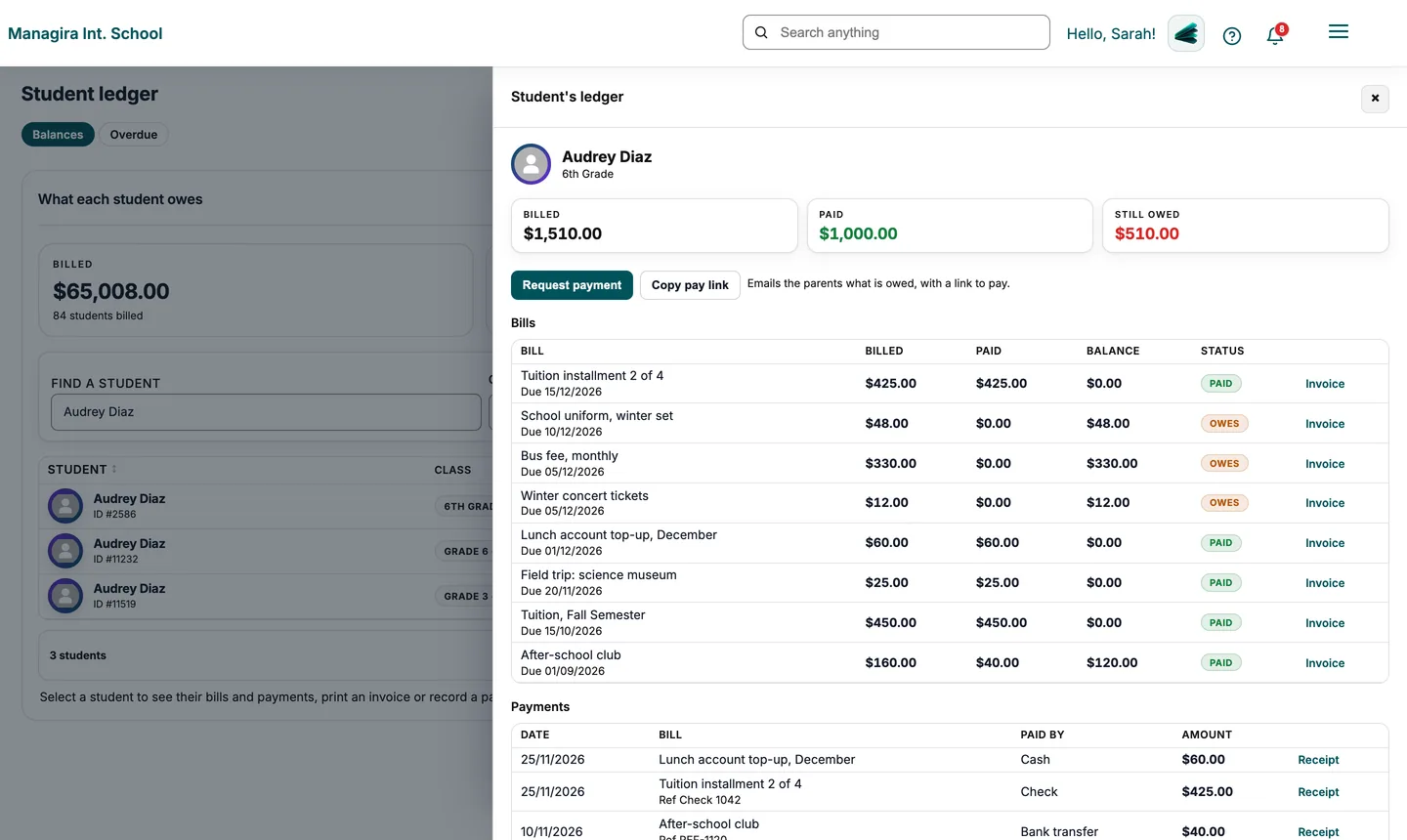
Audrey Diaz: every bill with its balance, then every payment. At the top are their Billed, Paid and Still owed totals.
Under Bills, each row has an Invoice link that opens the invoice.
Under Payments, each row has a Receipt link.
Close the window with the × at the top right.
Ask the family to pay
In a student's ledger, select Request payment. Their parents are emailed one message that lists every bill still owed, with a link that opens the bill ready to pay.
Select Copy pay link to get the same link and send it another way, such as a text or a note. A line under the buttons confirms what happened.
Good to know: The button shows only while the student owes something. There is one Request payment for everything owed. To nudge families for one bill, use Request payment on the Bills page.
Frequently asked questions
Why does a student show a balance for a past term?
Money owed carries over between terms, so the ledger counts every term. The Overview and Bills pages show one period at a time.
Who gets the email?
The student's parents or guardians who have an email address. If none has one, nothing can be sent. Use Copy pay link instead.
How do I see only late balances?
Open the Overdue tab. See Overdue balances.
Was this guide helpful?