
Fill in forms in the classroom
Open a class's Forms tab, see who has answered, fill in a form for a student, and see what parents, students and drivers do with theirs.
Each class has a Forms tab that lists every form that applies to it and who has answered.
Who can do this: Teachers for their own classes, and staff who can open the class. Managers and supervisors see every class.
Open the Forms tab
Open the class, then select Forms in Class Tools.
Each form is a button at the top. Choose one.
Under it, every student shows a status.
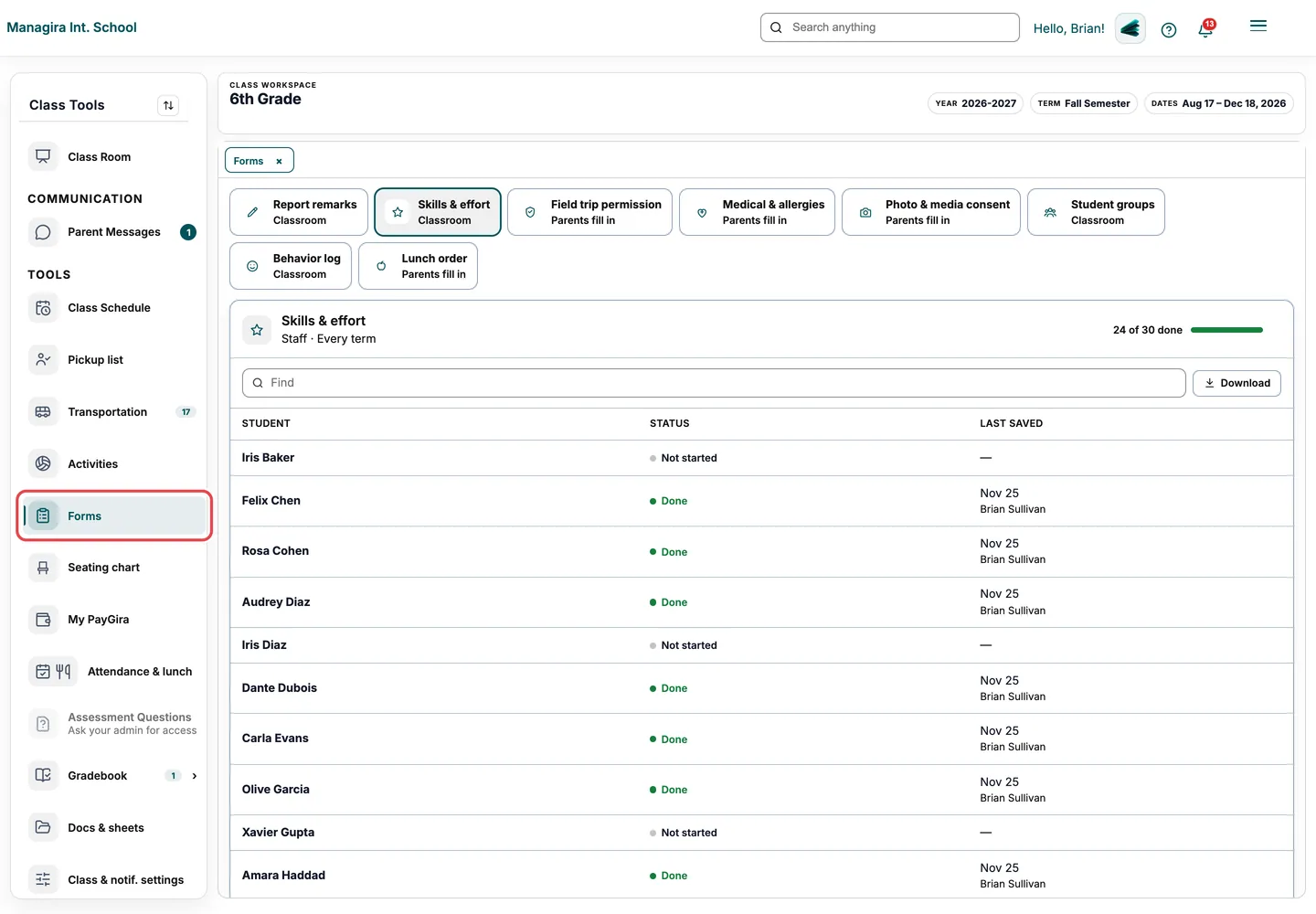
A form, its progress, and one row per student.
- Done (or Submitted for a parent form): an answer is in.
- Waiting: a parent or student form that has not been sent.
- Not started: nothing saved yet.
- Find narrows the list. Download saves it as a spreadsheet.
Fill in a form for a student
Select a student. A panel opens with the form's fields.
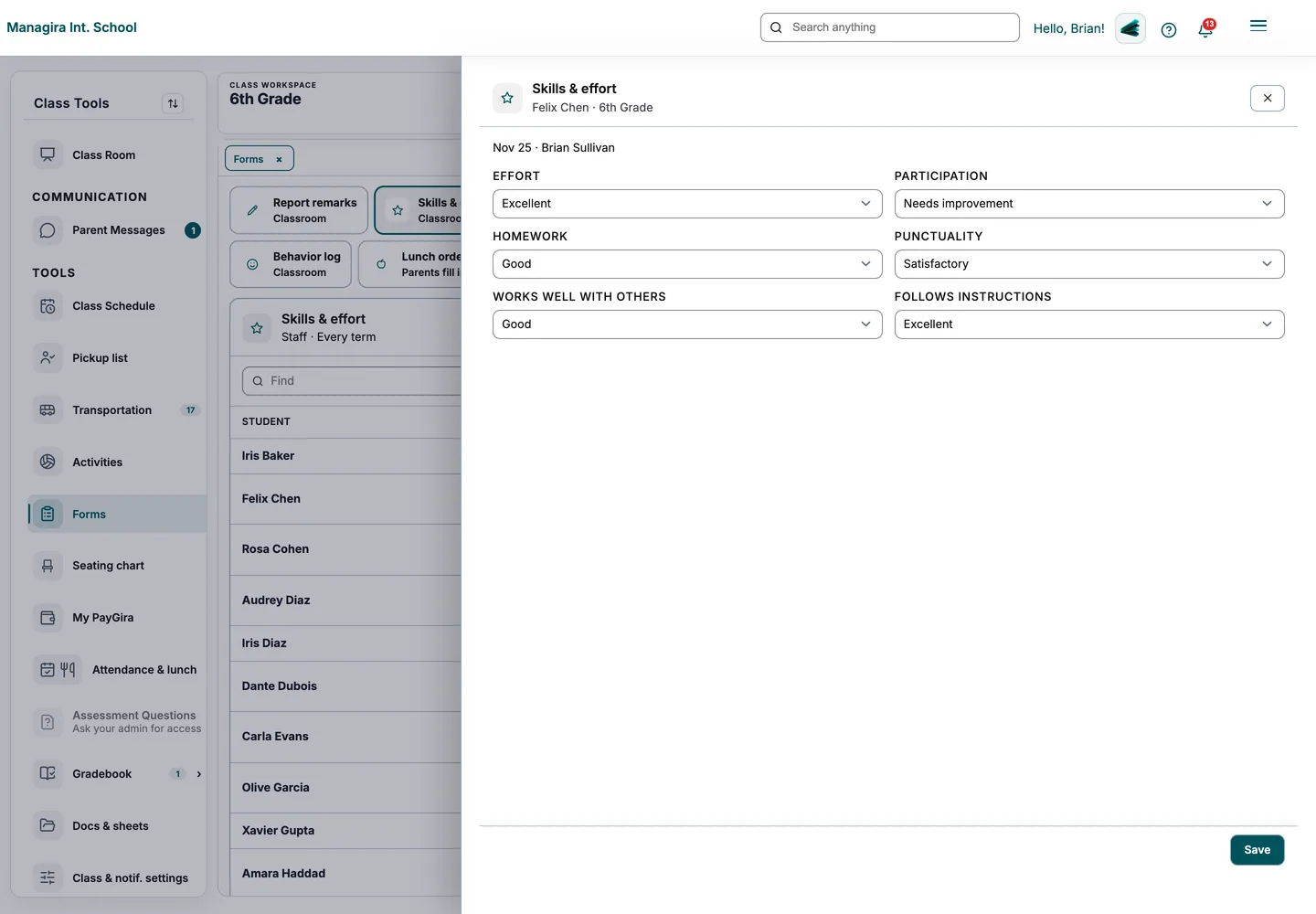
Skills & effort for one student. Fill in the fields and select Save.
Good to know: A form collected Every term or Every year starts from the student's last answers, so you change only what is different.
Forms that grow
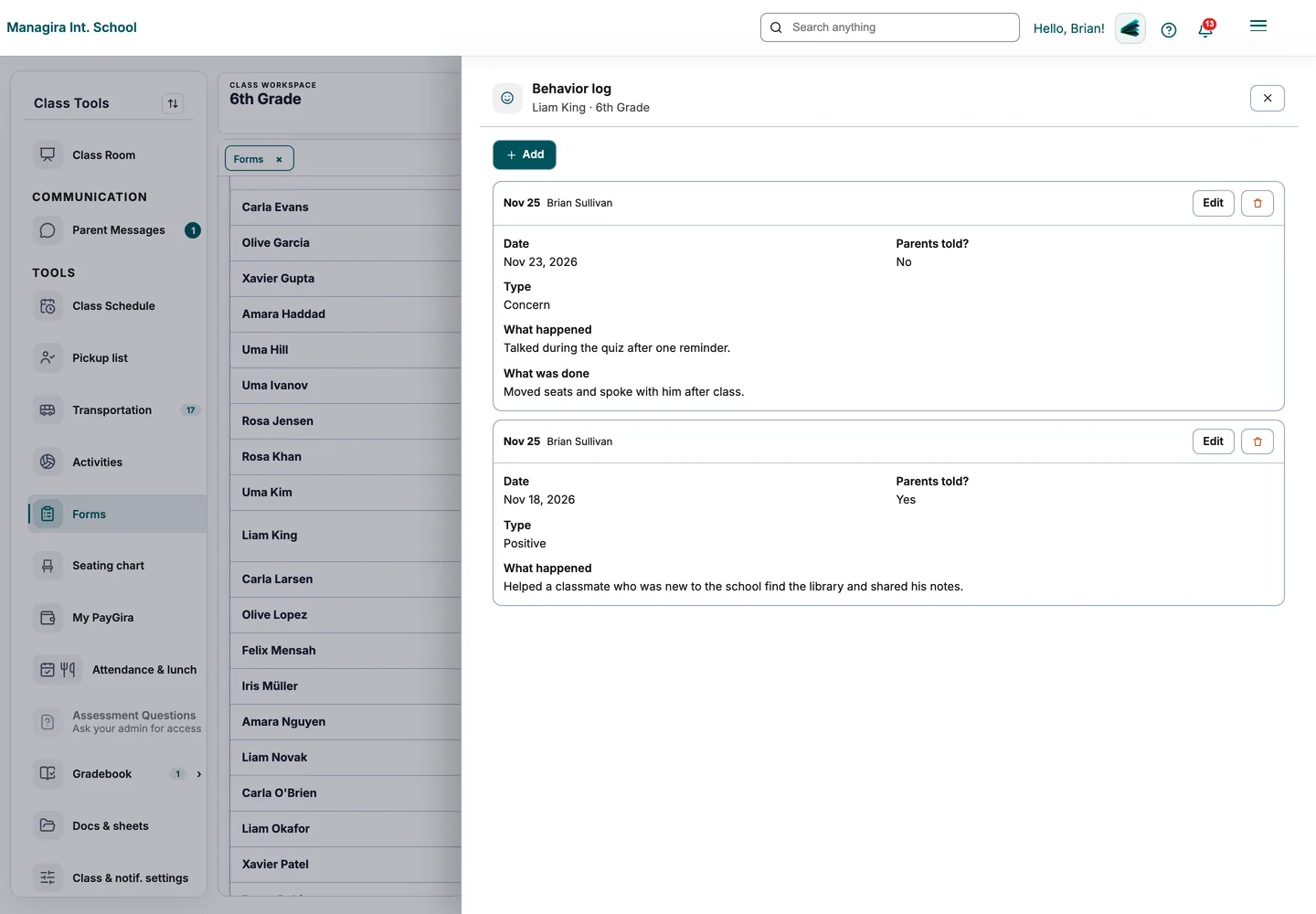
A form collected Any time, such as a behavior log, keeps a list. Select a student to see their entries, then Add a new one. Each entry shows its date and who wrote it, with Edit and a delete button.
Beside each student
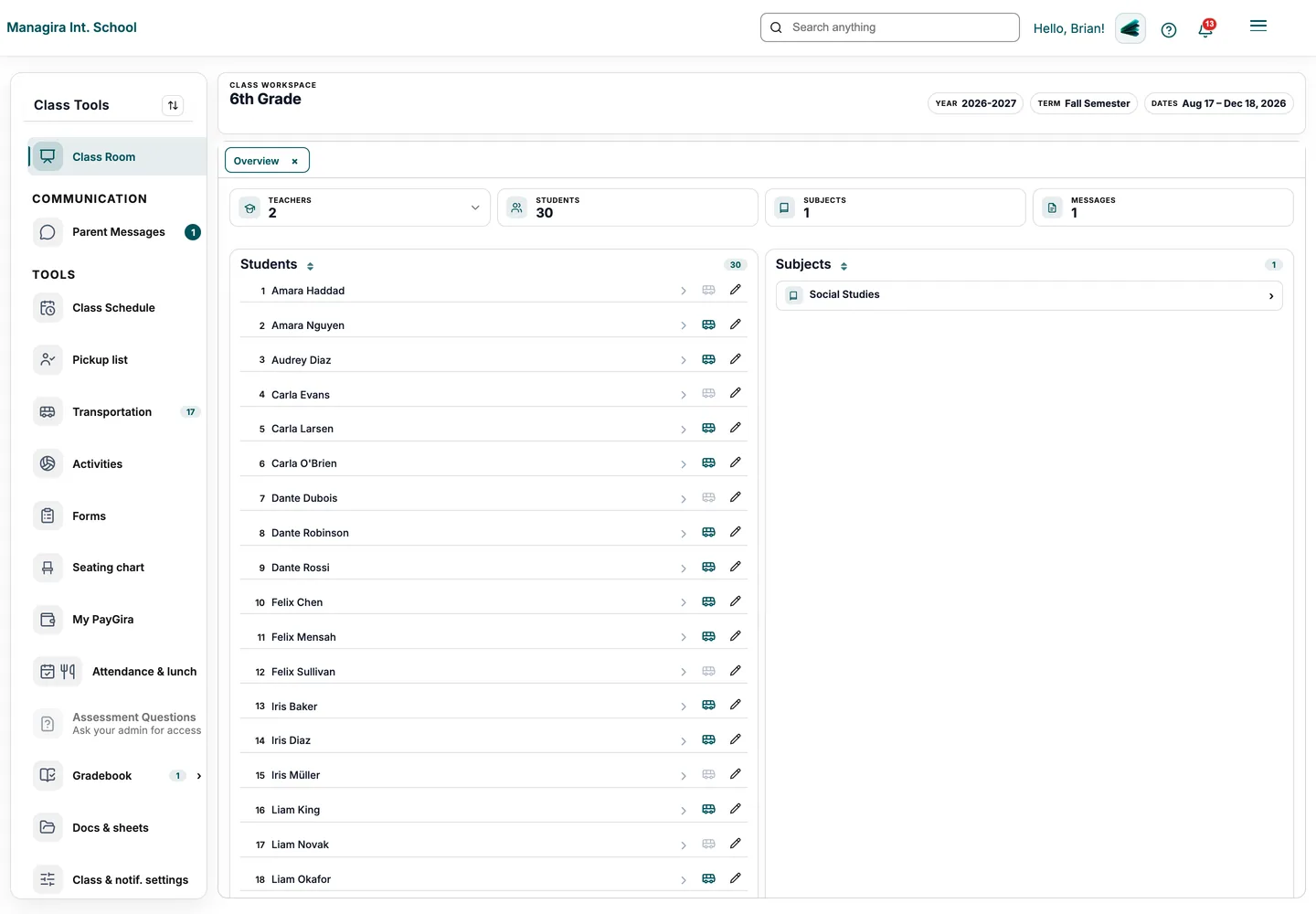
A form with Beside each student on (Report remarks is one) puts its icon next to every name on the class page. Gray means it isn't filled in for this term. Tap it to open that student's form.
Parents, students and drivers
- Parents fill in a form from their child's page or from Requests on their dashboard. See Forms and your child's portfolio.
- Students fill in theirs on their Forms page. See The student portal.
- Drivers find a Forms card on their page, for the students on their bus only.
- Teachers read what parents and students send but can't change it. If a family hands a form in on paper, a teacher can enter it for them.
Good to know: The class's main teacher gets a notification each time a parent, student or driver sends a form. Change who hears under More › Tell.
Frequently asked questions
A form is missing from the class's Forms tab.
Check the section is Live, that it includes this class, and that you can open the class. A form with its own tile is in Class Tools by its name instead.
Why can't I edit a parent's answer?
Answers parents and students send are theirs. Staff read them. You can enter an answer for a family only when nothing was sent, such as a paper form.
Was this guide helpful?