
Hub settings: profile, details, contacts and emails
Change your profile and look, update the hub's logo, phone and address, list the people schools can contact, and choose which hub emails you get.
Settings has four tabs. Open it by selecting your name at the bottom of the hub menu.
Who can do this: Every hub person for their own profile and emails. Edit hub details and Manage contact people are separate permissions.
Open Settings
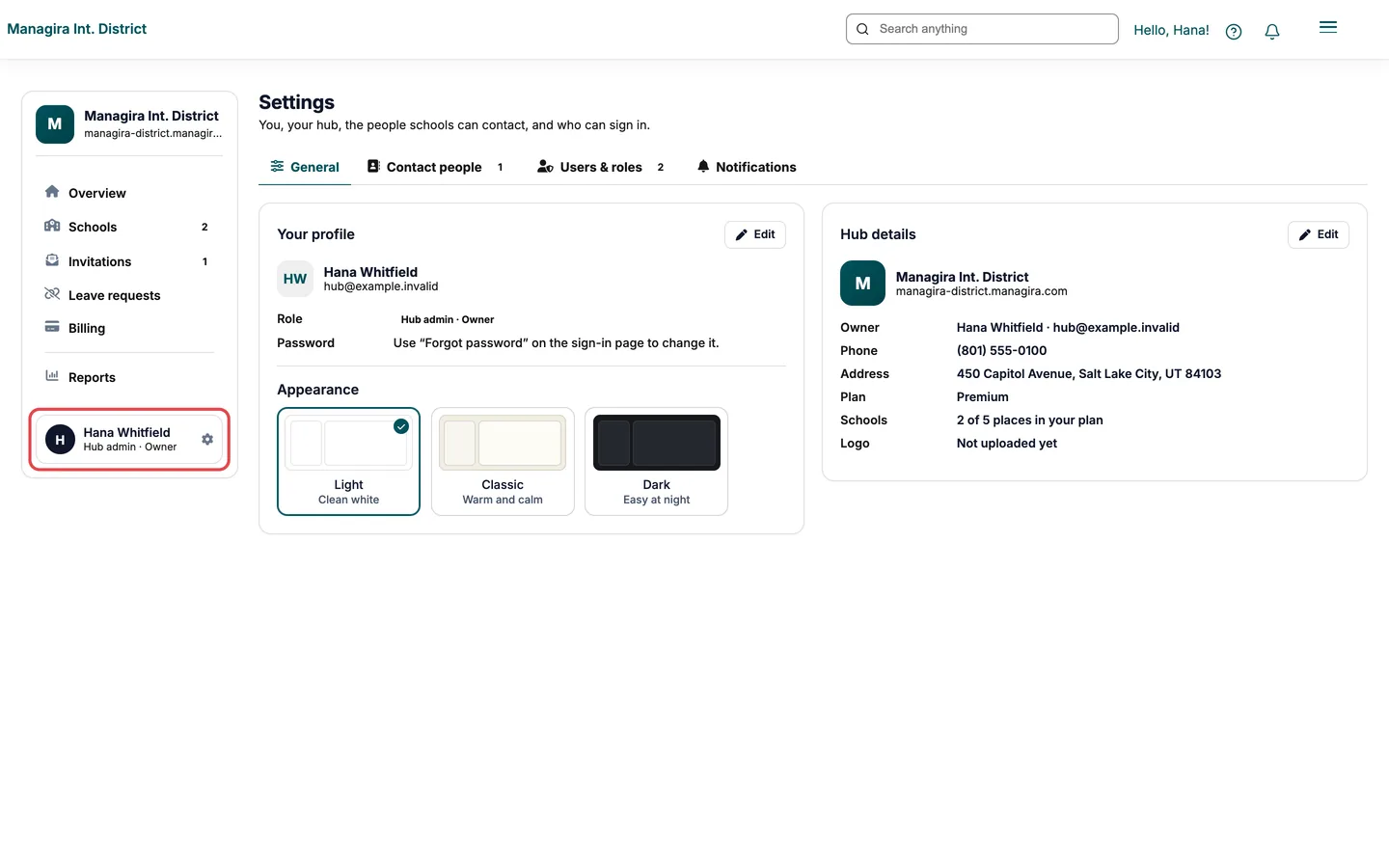
Select your name at the bottom of the menu.
Choose a tab: General, Contact people, Users & roles or Notifications.
General: you and the hub
- Your profile shows your name, email and role. Select Edit to change your name, phone and job title. To change your password, use Forgot password? on the sign-in page.
- Appearance offers Light, Classic and Dark. It's just for you.
- Hub details shows the hub's owner, phone, address, plan, places used and logo. Select Edit to change the phone, address or logo. It appears only if you have Edit hub details.
Contact people
These are the people your schools can call or email. A school sees the ones you share on its own Settings page, under Your hub.
Open the Contact people tab and select Add contact.
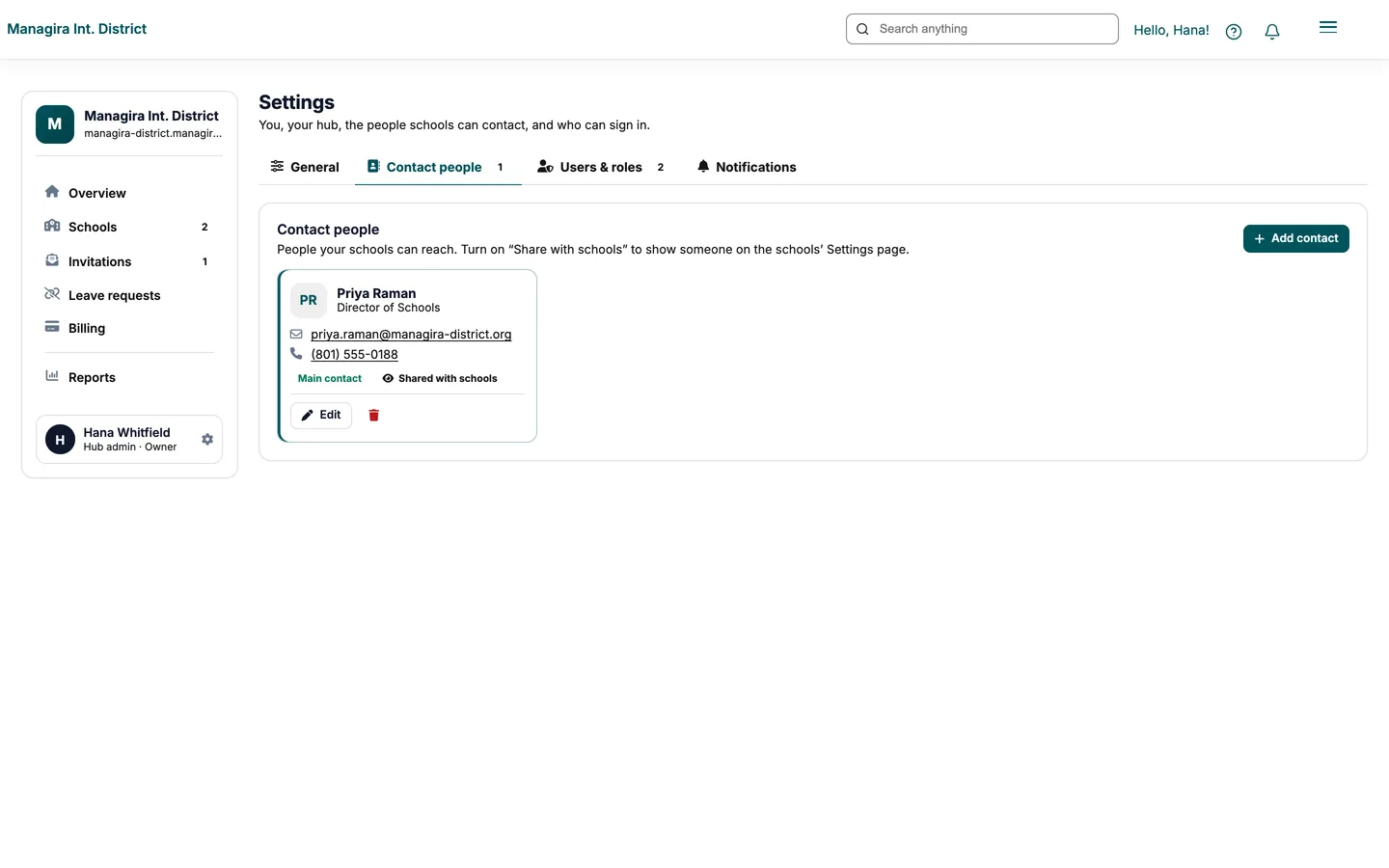
Each contact is a card. Enter the Full name, and optionally Job title, Email and Phone. Turn on Share with schools to show them to schools.
Use Edit on a card to change it, Make main to make them the main contact, or the bin to delete the card.
Good to know: A school can also be given its own hub contact when you invite it or edit its details. The school sees that person marked Your contact.
Notifications
Open the Notifications tab. Each switch is one email: a weekly hub overview, a school joining, invitations sent, a school asking to leave, school status changes, hub user changes, and billing and payments.
You only see the emails your permissions allow. Security and membership emails are always sent.
Frequently asked questions
Why is there no Edit button on Hub details?
You need the Edit hub details permission. Ask a hub admin.
Who sees my contact card?
Schools in your hub, only when Share with schools is on.
Can I change the hub's web address?
No. It's set when Managira creates the hub.
Was this guide helpful?