
Transportation settings: location, units, arrival checks
Set the school's address for every route, choose miles or kilometers, and decide whether parents confirm their child arrived.
These settings apply to every route and bus map.
Who can do this: Transportation Settings for the cards. Parents confirm arrival also needs Driver Reports.
Parents confirm arrival
Open Management › Transportation, then the Settings tab. Turn on Parents confirm arrival.
After the driver's arrival check, parents confirm in their portal that their child arrived. A not arrived goes straight to Reports.
Set the school's location
Open the School location card, type the School Address and select Save School Destination.
Leave Apply to all routes now checked to move every route's destination. Uncheck it to change only routes that already use the school destination.
Good to know: Managira finds the map location from the address, so you don't type coordinates.
Choose units and the map view
Open Units and choose Kilometers (km, km/h) or Miles (mi, mph), then select Save Units. This changes distances and speeds on drivers' phones and the live maps.
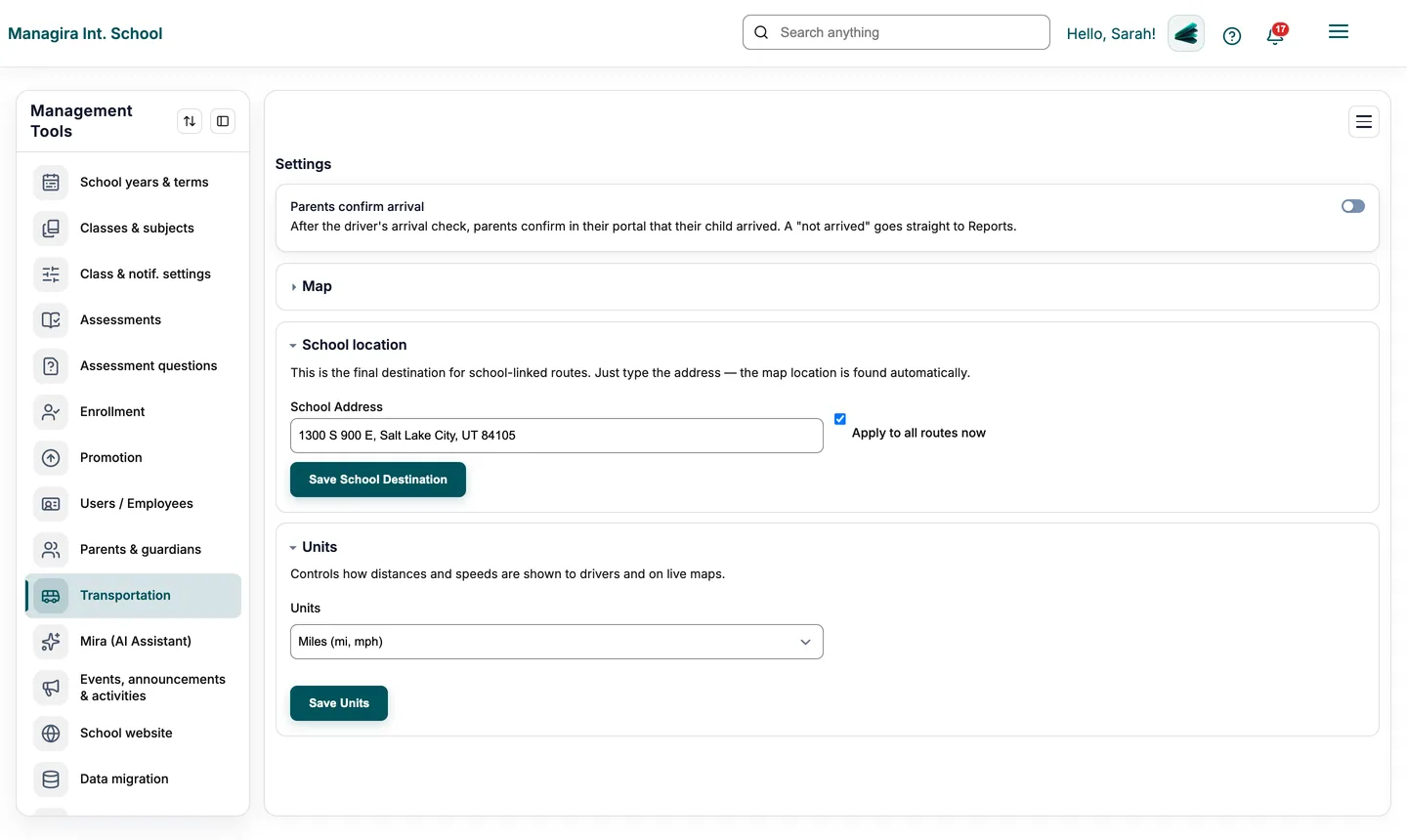
The Settings tab with School location and Units open. Open Map to type a city and select Center City, or select Fit Bus Stops to frame all your stops.
Was this guide helpful?