
Overdue balances: find late payments and follow up
See which students are late, filter the list, email parents, keep notes and save a report.
Overdue lists the students whose payments are late, how late, and gives you ways to follow up with their parents.
Who can do this: Managers, and staff given PayGira › Overdue Balances. It is a tab of the Student ledger.
Open Overdue
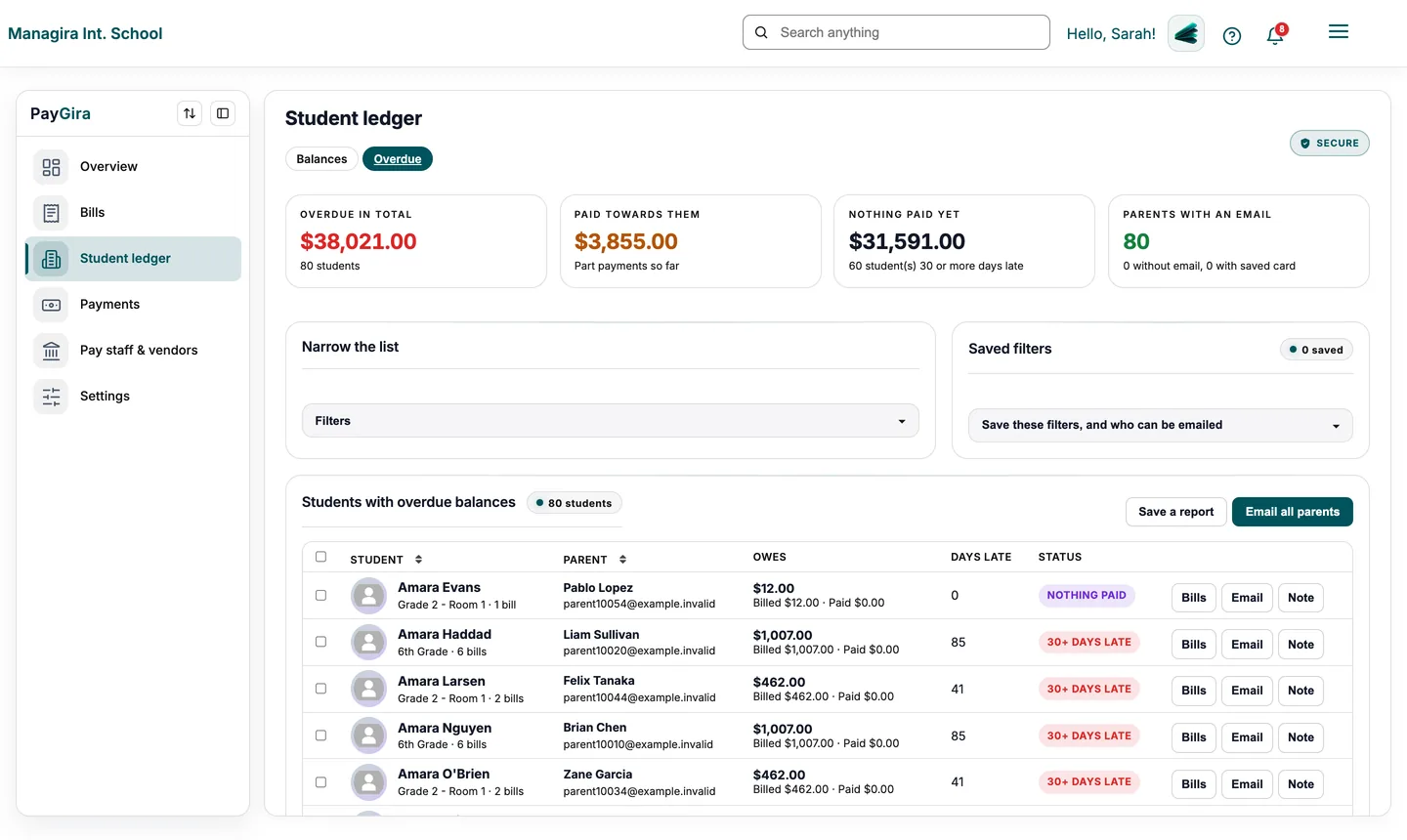
Go to Management › PayGira › Student ledger.
Select the Overdue tab.
The tiles show the total overdue, what was already paid toward it, how much has had nothing paid and how many parents have an email address.
Narrow the list
Open Filters under Narrow the list.
Choose any of School Year, Term, Class and Bill (check several, or use Select all and Clear), a Due Date From and To, Owes at least an amount, a Search word, Saved card and Parent's email.
Select Apply.
To reuse a set of filters, type a name under Saved filters and select Save these filters. A saved filter is one tap next time.
Read a row
Each row shows the student, their parent, what they owe, Days late and a status such as Nothing paid or 30+ days late.
- Bills shows what the balance is made of.
- Email emails that student's parents.
- Note keeps a record of what was agreed, for example a payment plan.
Email parents
Check the students, then select Email their parents in the bar that appears. To email everyone on the list, select Email all parents.
Check the Subject and Message. They fill in names and amounts for each family from the fields listed on the right. Keep Include a link to pay checked so parents can pay straight away.
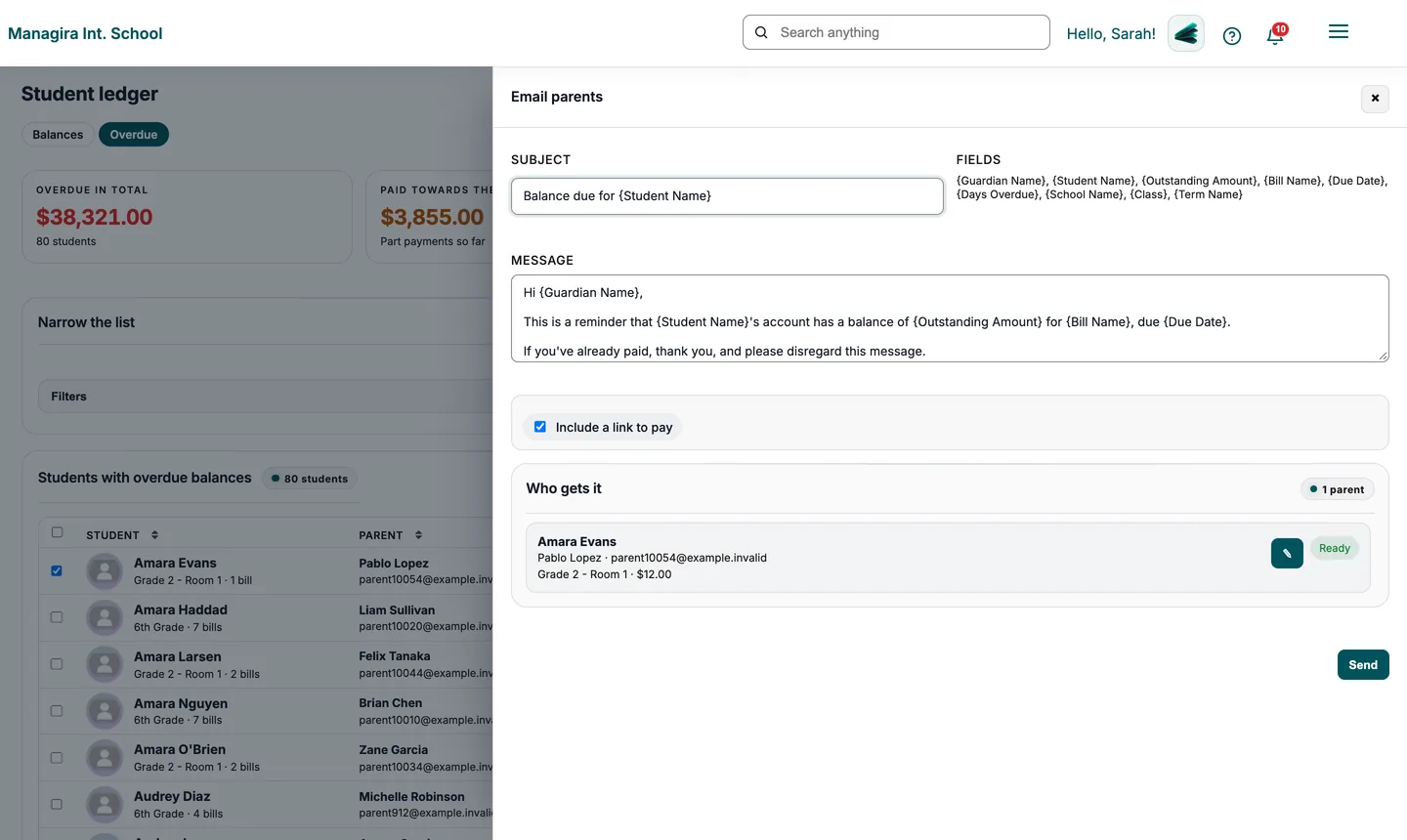
The Email parents window lists who gets it and whether they are ready. Select Send.
Good to know: Only parents with an email address can be emailed. Who gets it shows each one as Ready or missing an address.
Save a report
Select Save a report, above the list or in the bar for the students you checked.
Give it a name and save it. The saved report keeps who owed what that day, as a file you can open or download later.
Tip: Report Builder has Fee balances and Payments reports you can export to Excel for your bookkeeping.
Frequently asked questions
Why does a student show 0 days late but is on the list?
The balance is billed but its due date has not passed. The status reads Nothing paid until it becomes late.
Will parents get a second email if I send again?
Yes, every send is a new email. Check Who gets it before you send.
Was this guide helpful?