
Boarding, riders who aren't coming, and ending the trip
The app counts everyone as boarded when you drive off. Tap only for exceptions, see who isn't coming today, and end the trip with one arrival check.
You never stop to take attendance. The app assumes everyone boards and arrives, and you only mark the exceptions.
Who can do this: Drivers on a trip.
At each stop
When the bus reaches a stop, a card opens with the stop's name and how many students board. Press All boarded, or do nothing: when the bus drives off, everyone counts as boarded.
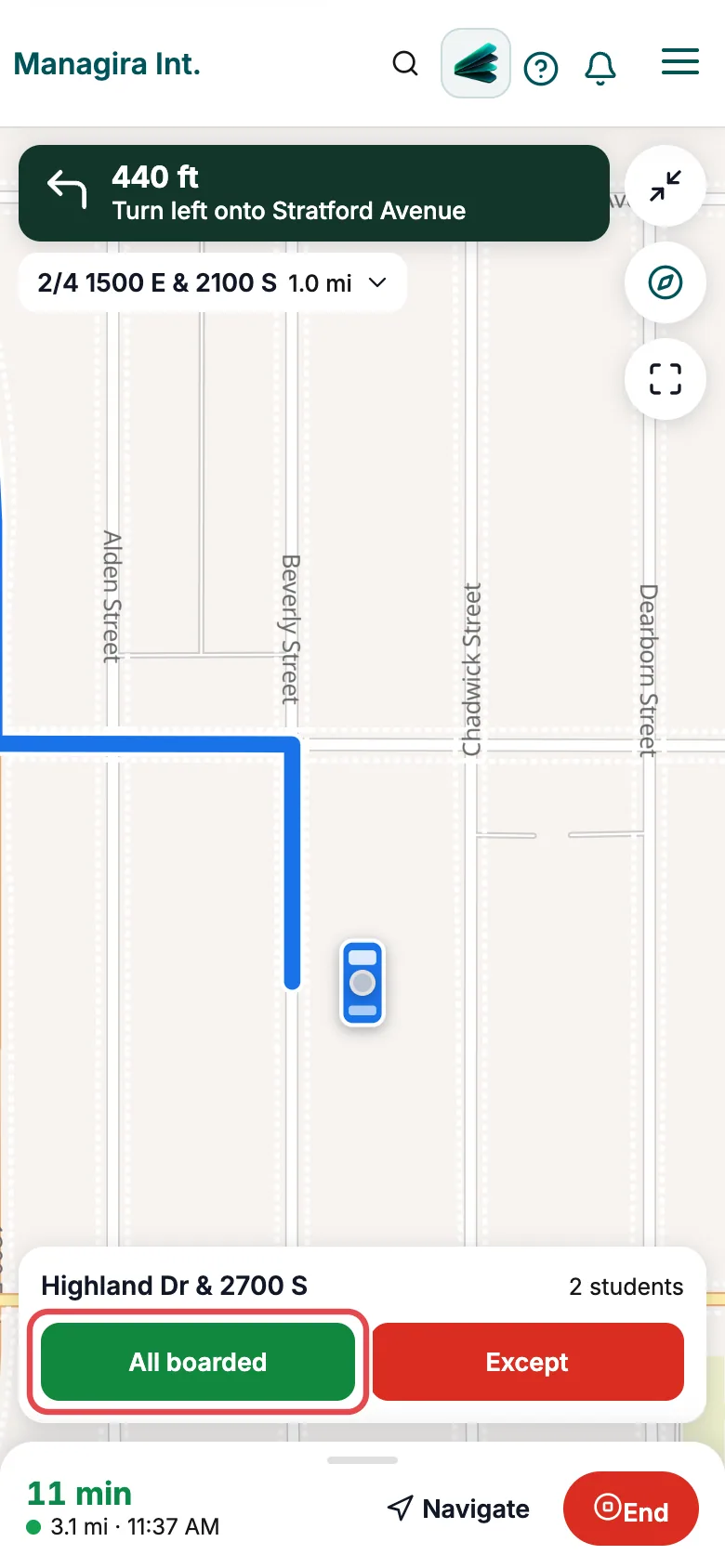
The boarding card at the first stop. If someone didn't board, press Except. Everyone starts on Yes. Press No beside each student who didn't get on, then Done. Back returns to the card.
Good to know: Families get a notice that their child boarded, or didn't board, if their class shares the bus with parents. Open the stops list and press Change on a covered stop to correct a mistake.
Riders who aren't coming today
When a parent or teacher says a student isn't riding, the stops list shows Not coming: and their name under the stop. They're left out of that stop's boarding card and the count.
A family can change their mind until the bus arrives, so the list is checked again every minute and at each stop. The app shows a short message when a student is newly marked as not coming.
End the trip
At the school, select End, then End trip. If you pressed End by mistake, press Keep driving.
The app asks Did everyone arrive? with the number of students on board. Press Yes to end the trip. Everyone on board is marked arrived in the same tap.
If someone didn't, press No. Press No beside each student, and choose a Reason: Absent today, Picked up by parent, Got off elsewhere, Missed the bus or Other. Then select End trip.
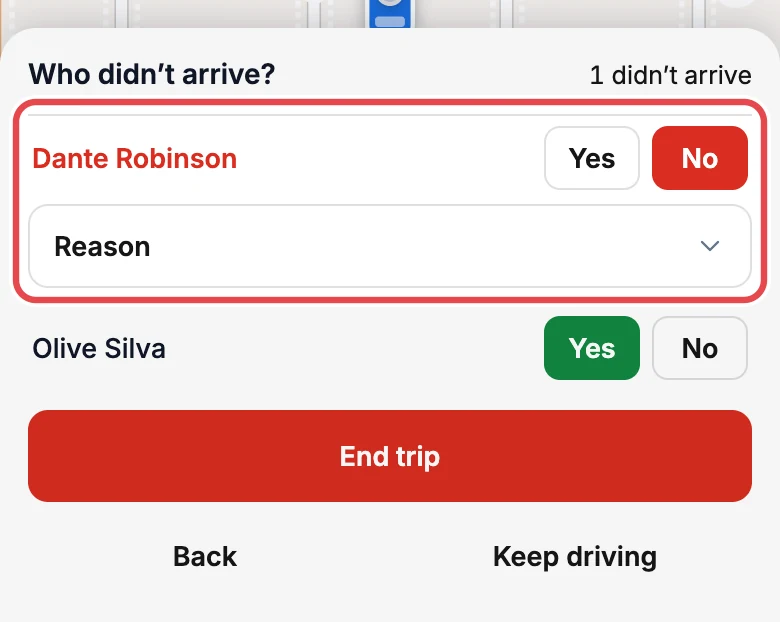
Who didn't arrive, with a reason.
- Only students who boarded are listed. Riders at a stop you skipped, or never reached, aren't counted as arrived.
- If nobody rode, the check offers No students to end the trip without it.
- A student marked not arrived sends an urgent report to your leads.
Tip: Ending a trip never makes you wait. The screen closes in the same tap, and the last answers are sent in the background and retried until they arrive, even with a weak signal.
Frequently asked questions
I forgot to mark someone as not boarded.
Open the stops list and press Change beside the stop. You can fix it until the trip ends.
What if the bus never reaches a stop?
Press Skip in the stops list. Those riders aren't counted as boarded or arrived.
Does the school ask parents to confirm arrival?
If the school turned on Parents confirm arrival, parents are asked after your arrival check, and a not-arrived goes to your leads.
Was this guide helpful?